Your bill is late, the paper copy is lost, or you just want to see the amount before you pay. You can get your LESCO bill online in under a minute. No account or fee is needed.
This page covers checking, printing and paying your LESCO electricity bill, plus the due date, complaints and the areas LESCO serves. Where a topic needs more space, we link to a full guide. All facts come from LESCO, PITC and NEPRA.
Watch: How to check your LESCO bill online
Prefer a video? This short clip shows each step of checking your LESCO bill on this page, from typing the reference number to opening the bill.
How to check your LESCO bill online
There are two easy ways. Both show the same bill, because both read from the same PITC billing system that LESCO uses.
On this page
Enter your reference number in the box at the top. Use digits only, with no spaces or dashes. Press Check Bill, then View Full Bill to open the complete bill.
Tip: the checker can save your number on this device, so next month it is one tap away.
On the official PITC page
Open LESCO Web Bill. Pick Reference No or Customer ID. Type the number, choose U or R to match the letter at the end of your reference number, and press Search.
LESCO's own website also has a "Customer Bill" link under Customer Services.
The bill shows your units, the amount due and the due date. If you get an error such as "invalid reference number" or "record not found", read our guide on bill not found and invalid reference number errors. A common cause is one wrong digit. Another is a new connection whose first bill is not out yet.
Want a reminder each month? Turn on free bill alerts and we will tell you when your new bill is ready.
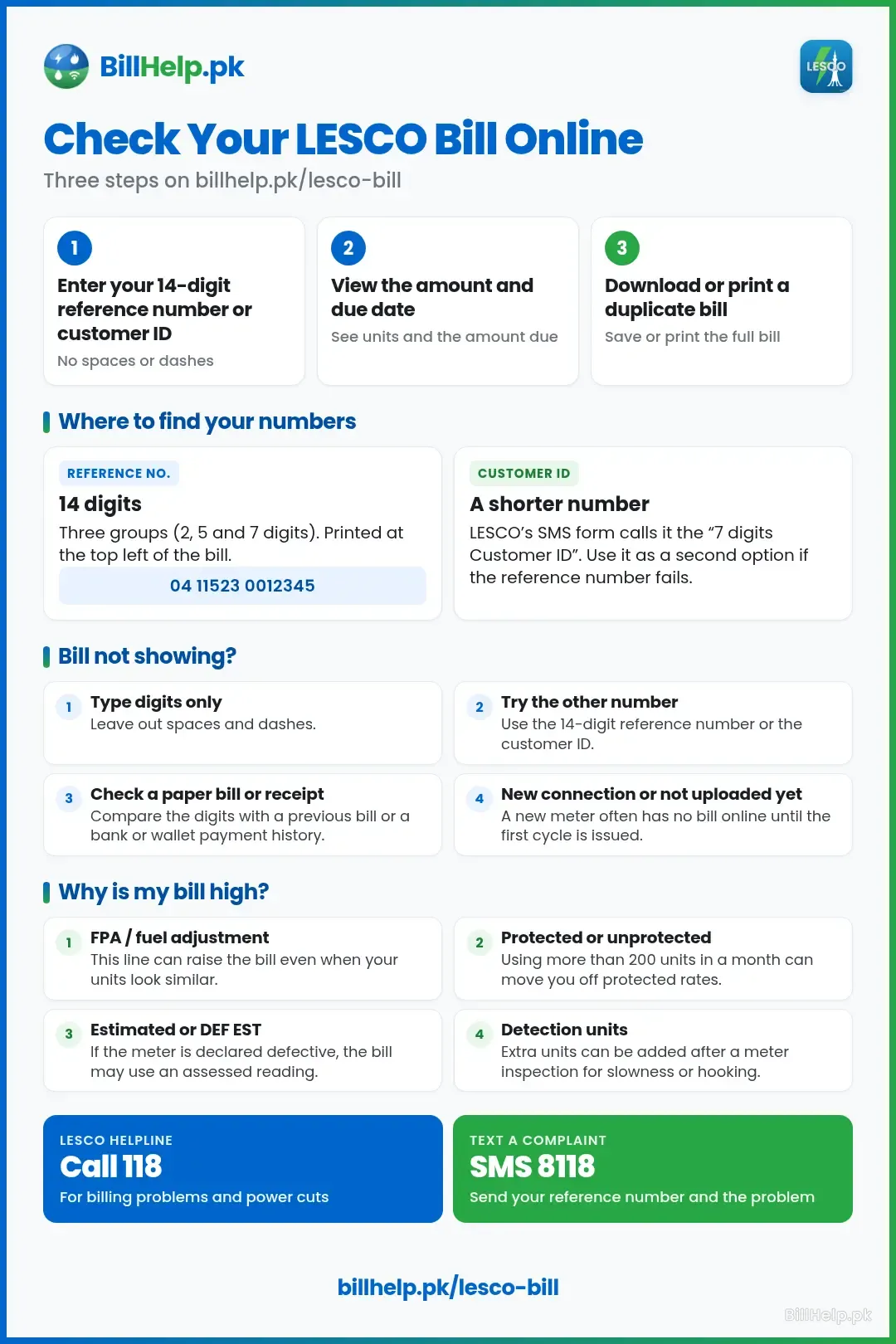
Bill not showing?
If the checker returns “invalid reference number”, “record not found”, or a blank result, work through these checks in order. This is about getting the bill to appear, not about a wrong amount (that is covered later on this page).
- Type digits only. Leave out spaces and dashes. A single mistyped digit is a common reason the record is not found.
- Use the right number. The 14-digit reference number and the customer ID are not interchangeable in every form. On this page and on the official PITC LESCO Web Bill you can search with either. PITC accepts a number of 6 to 14 digits. LESCO's own SMS registration wording refers to a 7-digit customer ID. If one number fails, try the other from a previous bill, and do not invent a length that is not on the bill.
- Compare the number with a paper bill or a payment receipt. Open a bank, wallet or app payment history and type the same reference or customer ID that was used when the last bill was paid. Check the digits one by one.
- New connections. A newly installed meter often has no bill online until the first billing cycle is issued and uploaded. If the supply was only just connected, wait for that first bill rather than assuming the number is wrong.
- The bill may not have been uploaded yet. Bills appear after the reading is processed. If neighbours on the same cycle also have nothing online, try again after the usual issue date rather than changing digits at random.
- Paper bill missing, but you need a copy. LESCO's FAQ says duplicate bills are available at its customer services centres, and that if bills often fail to arrive you should contact your subdivisional office. You can also try the official PITC LESCO Web Bill or the “Customer Bill” link under Customer Services on lesco.gov.pk — both read the same billing system.
If none of this works, call 118 or visit your subdivision with a previous bill or the connection documents. For a longer walk-through of error messages, see our bill not found and invalid reference number guide.
Reference number and customer ID: where to find them
Every LESCO connection has two numbers that open the bill. Both are printed near the top of every bill, and they stay the same from month to month. So a bill from last year works just as well as last month's.
| Number | What it looks like | Good to know |
|---|---|---|
| Reference No. | 14 digits in three groups (2, 5 and 7 digits). Example: 04 11523 0012345 | Printed at the top left of the bill. It also identifies your sub-division, division and circle. |
| Customer ID | A shorter number. LESCO's SMS sign-up form calls it the "7 digits Customer ID". | Works on the PITC bill page as a second option. |
Lost every old bill? Check the payment history in your banking or wallet app, or ask your landlord or family for a photo of an old bill. Our guide to finding your LESCO reference number walks through seven ways to get it back.
Download or print a duplicate LESCO bill
The bill you open online is a full copy of your monthly bill. NEPRA's manual says bills must be available on the company website for download and payment. To keep a copy:
| Device | How to save or print |
|---|---|
| Android phone | Open the full bill in Chrome. Tap the three-dot menu, then Share and Print. Choose Save as PDF. |
| iPhone | In Safari, tap the Share button, then Print. You can save the preview to Files as a PDF. |
| Computer | Press Ctrl + P (Cmd + P on a Mac). Pick a printer, or pick Save as PDF. |
Online, you only see the latest bill. It does carry a box with the last 12 months of units and payments. For older bills, the tax deduction certificate, or a full statement, see how to get old LESCO bills and bill history.
No internet? NEPRA's Consumer Service Manual says the SDO, the revenue officer and the in-charge of a customer services centre can issue a duplicate bill on the same day. Take your CNIC and the address of the connection.
Can you check a LESCO bill by CNIC, name or meter number?
No. A bill belongs to a connection, not a person. One person can own several connections, and many tenants pay bills in the owner's name. That is why the official bill page only asks for the reference number or customer ID. We found no official LESCO bill search by CNIC, name, address or meter number.
LESCO's website does have a CNIC Registration page, but it is for linking a CNIC to a connection record. It does not show your bill. Be careful with any site or app that asks for your CNIC to "find your bill".
Tenants and shared meters
LESCO bills the connection, not the person who happens to be living at the property. If you rent, or if more than one household shares a meter, you can still check and pay the bill — but only with the reference number or customer ID for that connection. There is no official LESCO search by tenant name, CNIC or meter number (see the section above).
Checking the bill without the landlord
You need the number, not the owner's permission, to open the bill on this page or on the official PITC site. Look for the 14-digit reference number or the customer ID on any previous bill left at the property, on a bank or mobile-wallet payment receipt, or in a photo of an earlier bill. Once you have it, you can check the amount and due date yourself.
Splitting units between tenants
We found no official LESCO or NEPRA formula for dividing units, or the rupee amount, among people who share one meter. Any split is a private arrangement between the people who use the supply. LESCO still bills the registered connection, and the registered consumer remains responsible for paying the bill.
When the name on the bill does not match
A name mismatch is common for tenants, because the bill stays in the owner's (or previous owner's) name. Renting the property is not, by itself, a ground in the Consumer Service Manual for changing that name. The official change-of-name route applies when ownership actually changes.
NEPRA's Consumer Service Manual (clause 2.13) requires a change of name in these cases:
- Sale of the premises. The new owner must apply. The security deposit is updated at the prevailing rates, with credit for the amount already paid.
- Death of the consumer. Legal heir(s) apply with a succession certificate from a court of competent jurisdiction. The security deposit is updated in the same way.
- Company merger, amalgamation or acquisition that changes the company's name, again with the security deposit updated.
LESCO's own FAQ (item 20) puts it in plain terms: if you have bought the place and the bills still show the previous owner, change of name is applied in the same manner as a new connection.
Documents to attach with the Application Form (Annex-I), as listed in clause 2.13.2, are: proof of ownership of the premises or the sale deed; a copy of the last paid bill, provided no arrears, deferred amount or instalments are pending; an attested copy of the applicant's CNIC; and the power supply contract. A company also files its certificate of incorporation, a board resolution authorising the signatory, a list of directors with addresses and CNIC copies, and court orders if the merger went through a court. After the applicant has completed all requirements, the time allowed for the change of name is ten days (clause 2.13.3). The same procedure applies to a net-metering connection, and the consumer must also apply for a change of name on the distributed generation licence (clause 2.13.4).
For a longer walk-through, see our guide to changing the name on an electricity bill.
LESCO bill due date, late payment and paid status
NEPRA's Consumer Service Manual sets the time you get to pay:
15
The due date falls within 15 days of the bill's issue date.
7
You should get at least 7 clear days after the bill is delivered.
If the due date is a holiday, it moves to the next working day.
Pay after the due date and a late payment surcharge is added. You do not need to work it out. Every bill prints the amount payable within the due date and the higher amount payable after it. To see how the surcharge and other lines are worked out, read our LESCO unit price, taxes and bill calculation guide.
Paying by cheque or pay order? The manual asks you to deposit it at least three days before the due date, so the money is cleared in time.
Paid but not sure LESCO got it? Online payments can take a little time to show. Keep your receipt or transaction ID until your next bill shows the payment. Our bill paid status check explains how to confirm it.
Where and how to pay your LESCO bill
| Option | How it works |
|---|---|
| Banking app or internet banking | Go to bill payments, choose electricity, then LESCO. Enter your reference number. Most banks also let you save LESCO as a biller. |
| Mobile wallets | JazzCash, Easypaisa and similar wallets have an electricity bill option. Pick LESCO and enter the reference number. |
| QR code on the bill | LESCO tells customers they can pay by scanning the QR code printed on the bill with a banking or wallet app. |
| Bank branches | Pay over the counter at designated bank branches. Keep the stamped part of the bill. |
| Post offices | Stopped LESCO ended bill collection at post offices from 1 April 2026. |
For step-by-step help with each app, see how to pay electricity bills online in Pakistan. Never pay a bill into a person's own wallet or bank account, even if they say they work for LESCO.
Latest LESCO update
NEPRA fuel charges adjustment — notification dated 6 November 2026
NEPRA has approved a fuel charges adjustment (FCA, also printed as FPA on many bills) of Rs 2.3673 per kWh for September 2026. LESCO, as an Ex-WAPDA distribution company, is to show this amount on November 2026 bills, calculated on the units billed in September 2026. If a November bill was issued before the notification, NEPRA says the adjustment may be applied in the following month.
The adjustment applies to consumer categories of the Ex-WAPDA companies (and, under the same notification, to K-Electric for the same period), except lifeline consumers, electric vehicle charging stations (EVCS), and pre-paid consumers who opted for a pre-paid tariff. It also applies to consumption under the Incremental Consumption Package. It is to appear as a separate line on the bill.
This is the latest Ex-WAPDA FCA decision listed on NEPRA's LESCO tariff page as of 13 November 2026. We have not invented a later (October 2026) figure; none was on that index at the time of writing.
Understanding the charges on your bill
A LESCO bill is full of short codes. Before you pay, check four things: the reading date, the present and previous readings, the units billed, and any arrears. If the readings on the bill do not match your meter, do not pay twice. Raise a complaint first (see below). Our field-by-field guide to reading a LESCO bill explains every line, from MDI to FPA.
The amount itself depends on your tariff, your units and the taxes added on top. Homes with lower monthly use can be billed at protected rates, so a few extra units can make a big difference. LESCO's website has a Bill Estimator under Customer Services. For the slabs, taxes and a worked example, use our LESCO bill calculation guide.
Peak hours matter only if you have a time-of-use (TOU) meter. LESCO's tariff puts homes and shops with a sanctioned load of 5 kW or more on TOU. Smaller homes pay by slabs. The timings change with the season, and our LESCO peak hours guide lists them.
Is the amount right? Try the LESCO bill calculator
Before you file a complaint, enter the units printed on your bill into our calculator and compare the totals. If our estimate is close, the units are what pushed the bill up, so check your meter reading. If it is far off, look at the arrears and adjustment lines. Our LESCO unit price breakdown explains each rate.
LESCO Bill CalculatorWhy is my LESCO bill high this month?
A jump in the amount does not always mean the meter is wrong. Work through this list first, then use the calculator. If the figures still do not add up, use the official complaint routes in the next section.
| Check | What to look for |
|---|---|
| Fuel charges adjustment (FPA / FCA) | November 2026 bills include NEPRA's September 2026 FCA of Rs 2.3673 per kWh, worked out on your September units (with the exceptions in the latest LESCO update). A change in this line can raise the bill even when your units look similar to last month. |
| Protected or unprotected slabs | Under NEPRA's tariff terms, a protected domestic consumer is a non-time-of-use household that has used 200 kWh or less in each of the past six months. Crossing 200 units in a month can move you out of that category, so later units are billed at unprotected rates. Your bill shows which category you are in. We are not reprinting unit rates here; they change with NEPRA determinations. |
| Detection or assessment units | LESCO's FAQ explains that a detection bill can be issued for illegal abstraction or hooking, or for a slow meter. For hooking, the owner or occupier of the premises can be held liable. For slowness, LESCO assesses units after a check meter or a meter test, and charging can continue until the meter is replaced. If you dispute the assessment, raise it with your subdivision and still clear dues — unpaid amounts can lead to disconnection. |
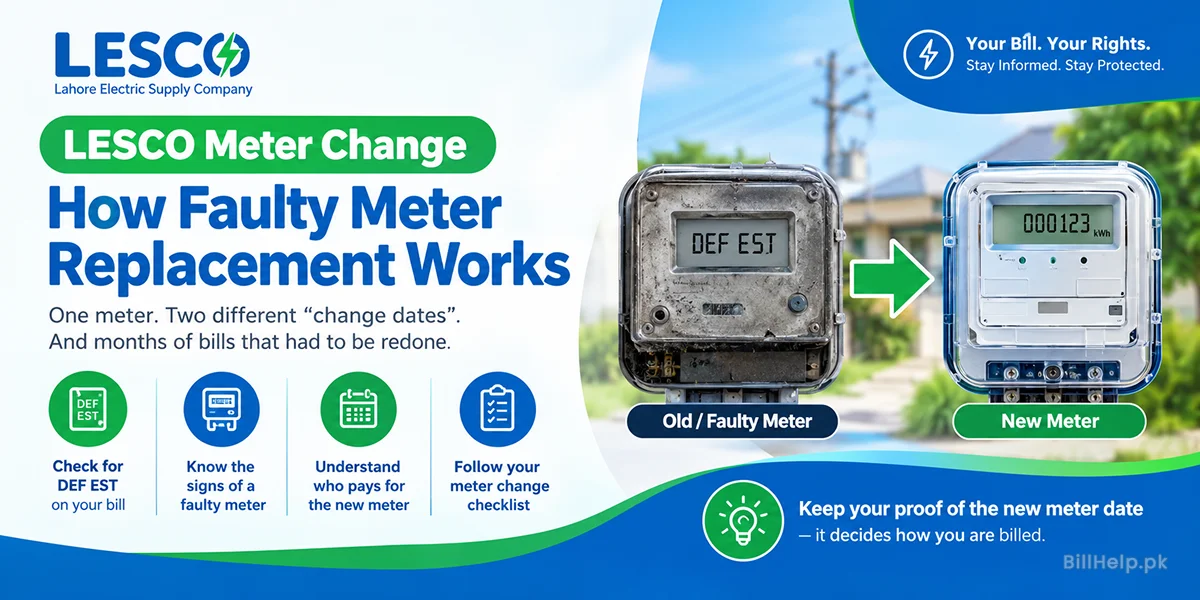
| Estimated or “DEF EST” readings | If the meter is declared defective, LESCO says you receive an assessed bill based on the corresponding months of last year, marked DEF EST, until the meter is replaced. The company policy is to install a check meter; if that has not happened, the bill also records how long estimated bills have been issued. LESCO advises you to contact your subdivision if the meter is not replaced within two to three months. |
| The reading itself | Compare the present reading and the meter photo on the bill with the digits on your meter today. LESCO's FAQ also notes that a large bill after two small ones can follow a missed or delayed reading. If the digits do not match, do not pay a second time for the same units — use the complaint steps below. |
| Arrears and adjustments | An unpaid balance, an instalment, or a previous adjustment will sit on top of this month's energy charges. Check those lines before assuming the new units are the whole problem. |
Wrong or high bill? How to complain
First, take a clear photo of your meter showing today's reading. Compare it with the present reading and the meter photo printed on your bill. Then use one of LESCO's official channels:
| Channel | Details |
|---|---|
| Call centre | 118 from any phone |
| SMS | 8118, with your reference number and the problem |
| Online | PITC complaint portal (CCMS) or email ccms@pitc.com.pk |
| App | Power Smart, on Android and iOS |
| In person | Your sub-division office or a LESCO customer services centre |
Always note your complaint number. NEPRA gives LESCO a time limit for each kind of billing mistake. Our LESCO wrong bill and overbilling guide lists those limits and what to take with you. If the bill is correct but simply too high, these steps for handling a high electricity bill can help. If LESCO does not fix the problem, you can take it to NEPRA through its complaint management system.
Can't pay in full? Installments and reconnection
If a bill is too large to pay at once, ask your SDO about installments before the due date. NEPRA's manual says that for a current bill, there is no markup or surcharge if the first part is paid on time. The remaining parts carry markup. Our LESCO bill installments guide covers who to ask and the conditions.
If your power has already been cut for non-payment, you will need to clear the dues and apply for reconnection. The rules depend on how long the supply has been off. See LESCO reconnection after disconnection.
Other LESCO services
New connection
LESCO's website sends new applicants to the ENC portal (enc.com.pk). Read the LESCO new connection guide for documents and steps.
Faulty meter
Meter stuck, burnt or blank? See how LESCO meter change and replacement works and who pays.
Name change
Bought a house or inherited one? Follow our guide to changing the name on an electricity bill.
Solar and green meter
Plan to sell solar power back to LESCO? Start with our LESCO net metering and green meter guide.
Load shedding
LESCO shows feeder schedules when you enter your reference number. Our LESCO load shedding schedule guide explains how to read them.
Apps and e-bill
Compare LESCO LIGHT and LESCO Smart, and sign up for bills by email, SMS or WhatsApp, in our LESCO app and e-bill guide.
How to read a net-metered LESCO bill
This section is for people who already have a LESCO green meter or net-metering connection and want to understand the bill. It does not repeat the application steps; those are in our LESCO net metering and green meter guide and on LESCO's official net metering page.
On a net-metered connection, the bill is supposed to show import and export units, with a snapshot of the meter reading. Import is the electricity LESCO supplied to you from the grid. Export is the electricity your system sent to the grid. Solar power you use in the house at the moment it is generated does not pass through those grid figures, so it will not appear as either import or export.
Under the NEPRA (Prosumer) Regulations, 2026 (in force from 9 February 2026), billing is a net-billing arrangement, not a simple unit-for-unit swap:
- The kWh LESCO supplies to you (import) are billed at the applicable tariff.
- The kWh you supply to LESCO (export) are credited at the national average energy purchase price.
- If the credit for your export is larger than the import bill, the net amount is carried to the next billing cycle or paid by the company quarterly.
- NEPRA may revise that credit rate by notification while the agreement is in force.
That is why a solar household can still have an amount due. Import and export are not priced at the same rate, so they do not cancel one-for-one. Fixed charges, taxes, the fuel charges adjustment and any arrears can also appear on the bill even in a sunny month. The regulations do not print a fixed rupee export rate in the text, so we are not inventing one here. Check the export credit line on your own bill and any later NEPRA notification.
Agreements signed under the repealed 2015 net-metering regulations are covered by the 2026 savings clause (regulation 21). Those earlier agreements remain in place, and the clause says distributed generators with a valid agreement under the 2015 regulations are billed in accordance with the national average power purchase price until that agreement expires; later renewals follow the national average energy purchase price and the 2026 regulations. Read your own agreement rather than assuming a flat rule.
LESCO help in one place
Use this short list when you need an official route. For the wording of a billing complaint, the section “Wrong or high bill? How to complain” above already sets out the steps. For addresses of local centres, use our LESCO helpline directory.
| What you need | Official route |
|---|---|
| Complaint, billing issue or power breakdown | Call 118, or send an SMS to 8118 with your reference number and the problem. You can also file a complaint on the PITC CCMS portal or write to ccms@pitc.com.pk. LESCO's Public Complaints page lists 118 and SMS 8118 as the customer care contacts. |
| When the area complaint office is busy | LESCO's FAQ gives 111-000-118 for the head office, to be used when your area complaint office is busy. |
| New connection | LESCO's website points new applicants to the Electricity New Connection (ENC) system at enc.com.pk. The menu label on lesco.gov.pk is “Electricity New Connection”. |
| Meter testing or replacement | Contact your subdivisional office. If the meter is defective, LESCO's FAQ says a check meter should be installed and a defective meter should be replaced; estimated (DEF EST) bills should not run on for months. See also our LESCO meter change guide. |
| Change of name on the connection | Apply when ownership changes (sale, succession or a company merger), using the Consumer Service Manual procedure summarised under Tenants and shared meters. LESCO's FAQ says the application is made in the same manner as a new connection. |
| Net-metering / green meter application | Use LESCO's official Net Metering page. The application steps are in our green meter guide, not repeated here. |
Areas served by LESCO
LESCO supplies electricity to Lahore, Kasur, Okara, Sheikhupura and Nankana Sahib. Its website lists more than 7.3 million customers over about 16,150 sq km. The area is split into eight operation circles:
| Operation circle | Divisions | Sub-divisions |
|---|---|---|
| North Lahore | 6 | 31 |
| Central Lahore | 7 | 32 |
| Eastern Lahore | 4 | 23 |
| South-Eastern Lahore | 6 | 27 |
| Okara | 5 | 23 |
| Sheikhupura | 4 | 18 |
| Kasur | 5 | 30 |
| Nankana | 4 | 16 |
Your circle, division and sub-division names are printed on your bill. There is no separate bill website for each city. A home in Pattoki uses the same bill page and the same reference number as a home in Model Town.
LESCO helpline and customer services centres
For power cuts, sparking wires and billing problems, the fastest route is 118. LESCO's FAQ also gives 111-000-118 for its head office, to use when your area complaint office is busy. The central customer services centre is at LESCO Head Office, 22-A Queens Road, Lahore (042-99205248).
LESCO also runs customer services centres in Lahore, Okara, Sheikhupura and Kasur, plus a mobile centre. All addresses and phone numbers, and the steps to escalate, are in our LESCO helpline and office directory.
Stay safe from bill scams
PITC warns customers never to send money for bills, meters, repairs or new connections to anyone's personal JazzCash, Easypaisa or bank account. LESCO staff will not ask for your OTP or PIN. If a fallen wire or a burning transformer is near your home, keep everyone away and call 118. Do not touch it.