Do you want to check your past electricity usage? Save your old LESCO Bill for the better experience. It is also a proof of payment in case of any dispute with the company.
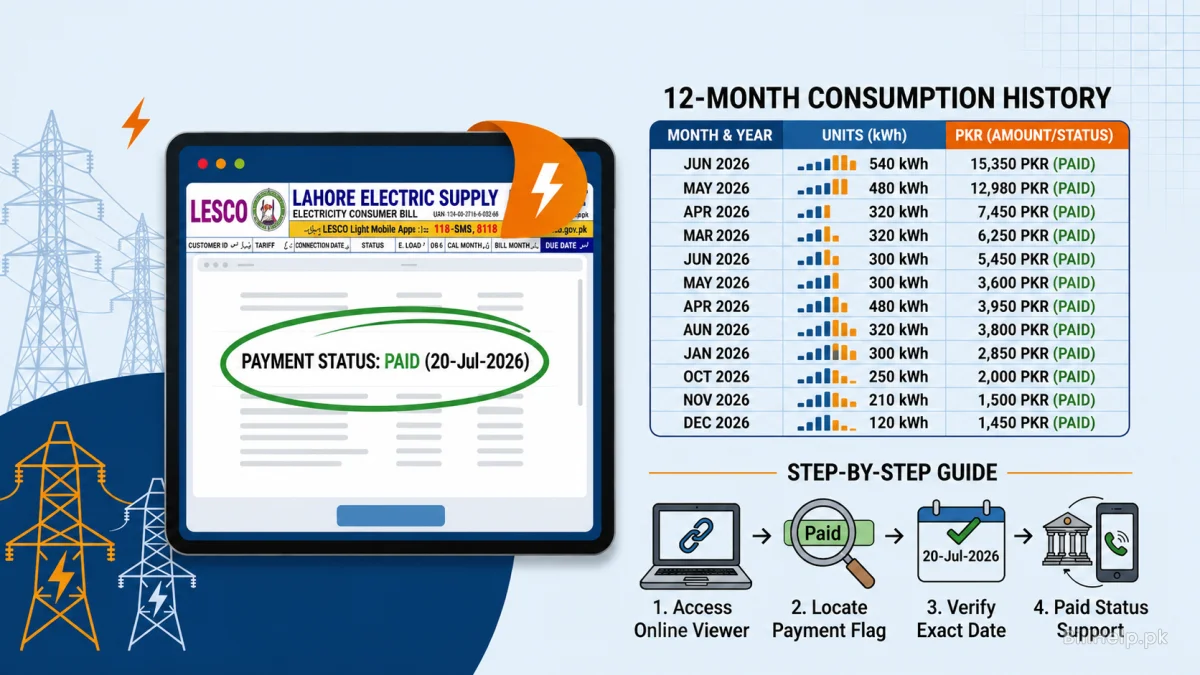
The 12-Month Consumption History Table
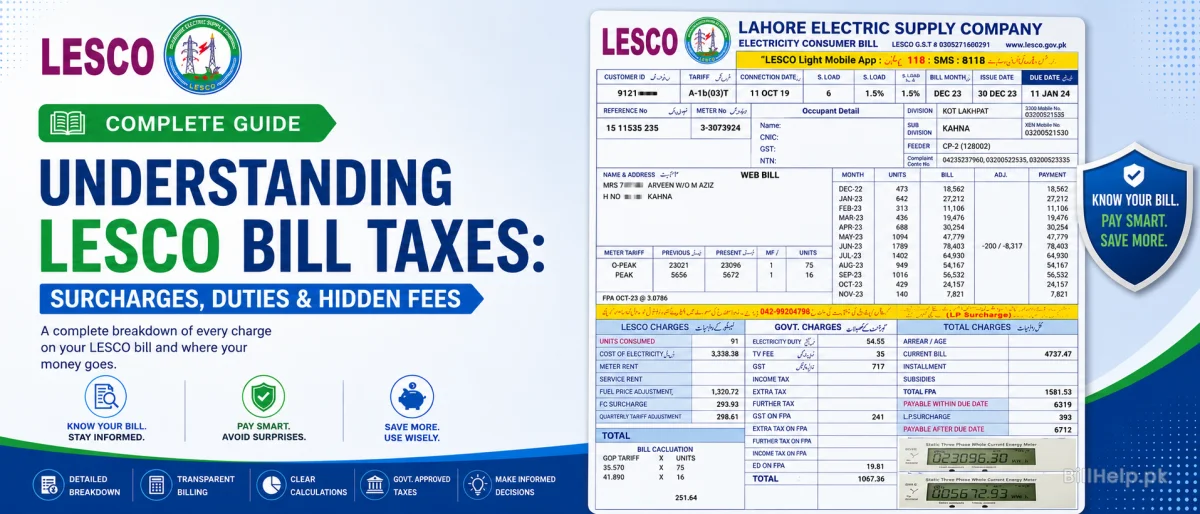
Did you know your current bill already contains your history? Every LESCO bill has a printed table showing your units consumed and payment details for the last one year. This data includes:
How to Check if Your Bill is Marked Paid Online
Sometimes you pay your bill via an app, but you want to confirm if LESCO received the money. How to check if paid: Do these simple steps:
Access Online Viewer
View your last invoice with our online duplicate billing viewer.
Locate Payment Flag
Look for the 'Payment Status' flag in the digital version of the bill.
Check the exact date
If it shows the exact date of payment then your record is clear and verified.
Support for status Non-Paid
If still showing unpaid after 48 hours please contact your banking channel with your transaction id .
Why Keep Old Invoices?
Hold on to your old bills, they can be useful if you sell your property, change the name on the account or request an extension for dynamic load management. We suggest you download your bill each month as a PDF and keep it somewhere safe.