"Aaj light kab jaye gi?" Shaam hoti hai aur family group mein yehi sawal. Lahore ho, Kasur, Okara, Sheikhupura ya Nankana Sahib, everyone wants the timing.
The answer is not on a random WhatsApp forward. It is in LESCO's own schedule, and it is different for each feeder. Here is how to find yours, plus five common myths, cleared up with facts.
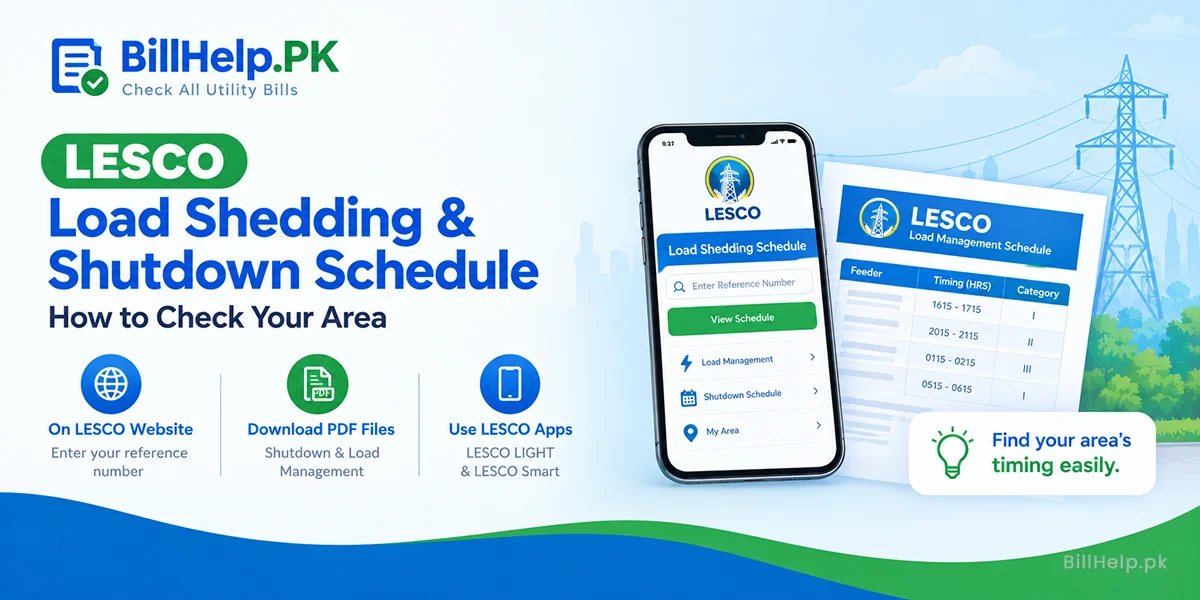
Three Ways to Check Your Timing
Keep your 14-digit reference number ready. LESCO prints it at the top left of your bill. No bill at hand? Get a copy on our LESCO bill check page.
LESCO website
Open the Load Shedding/Shutdown Schedule page. Enter your reference number to see your schedule.
PDF files
The same page has two files: Shutdown Schedule and Load Management Schedule. Open the one you need.
Mobile app
LESCO LIGHT, by PITC, shows load management schedule information. On iPhone, the LESCO Smart app also gives load shedding updates.
Five Myths, Five Facts
MythThere is one schedule for the whole city.
FactLESCO's load management file goes feeder by feeder. Your street's timing depends on your feeder, not your city.
MythA shutdown and load shedding are the same thing.
FactA shutdown is planned work on lines or equipment. Load shedding happens because of a generation shortage or transmission limits, when the system operator tells the company to cut load. That is why LESCO has two separate files.
MythLESCO can cut power for planned work without telling anyone.
FactNEPRA's 2026 performance standards require a notice to affected consumers at least 48 hours before a planned cut, by SMS, email or other electronic means. Area-wise planned outages must also be shown in the company's consumer app.
MythHospital and school feeders are cut first.
FactNEPRA's priority list is the other way round. Dedicated feeders for educational institutes and hospitals are near the end of the list. Only defence and strategic installations come after them.
MythEvery cut outside the timing is "extra load shedding".
FactIt can be a blown fuse or a fault. Report it. NEPRA's standard for a normal fuse-off complaint is 4 hours in urban areas and 8 hours in rural areas.
How to Read the Load Management File
The PDF is a long table. Find your sub-division first, then your feeder. These are the columns in LESCO's load management file:
| Column | What it tells you |
|---|---|
| Sub Division | Your LESCO sub-division (local office area). |
| Grid Station | The grid station your feeder comes from. |
| Feeder Name and Feeder Code | Your exact power line. Match the name, not just the area. |
| Category | LESCO's group for that feeder (I, II, III and so on). In LESCO's revised plan reported by The News, Category I feeders had up to two hours a day and higher categories had more. |
| Load Management Timing (HRS) | The time slots when supply is off. |
Decoding the 24-hour times
Times are written as four digits, start and end. For example:
- 1615-1715 means 4:15 pm to 5:15 pm.
- 2015-2115 means 8:15 pm to 9:15 pm.
- 0115-0215 means 1:15 am to 2:15 am.
Smart Habits for Cut Days
- Keep your mobile number updated with LESCO, so SMS notices can reach you. LESCO's e-billing form has a field for it.
- Check the Shutdown Schedule file every few days. Planned work is listed there, not in the load management file.
- Run the washing machine, iron and water pump outside your slots. Our tips to reduce your electricity bill help too.
- Save your local complaint office number from our LESCO helpline directory.
Note: load shedding timings are not the same as LESCO peak and off-peak hours. Peak hours change your unit price. Load shedding changes when you have power.
Frequently Asked Questions
Sources: LESCO Load Shedding/Shutdown Schedule page (lesco.gov.pk); LESCO load management file (2026); LESCO LIGHT listing on Google Play and LESCO Smart listing on the App Store (both by PITC); NEPRA Performance Standards (Distribution) Regulations 2026, regulation 3(2), OPS 9 and Schedule I; The News report on LESCO's revised load management plan. Checked 11 October 2026.