Get a free email alert as soon as your next MEPCO bill is released. Set up MEPCO bill alerts.
On this page
This page is the MEPCO bill checker for a current electricity bill. Use it when the paper bill is late or lost, or you need the amount to pay. The same MEPCO online bill check works for a house, a shop, and an industrial connection. You do not pick a separate bill website for each city.
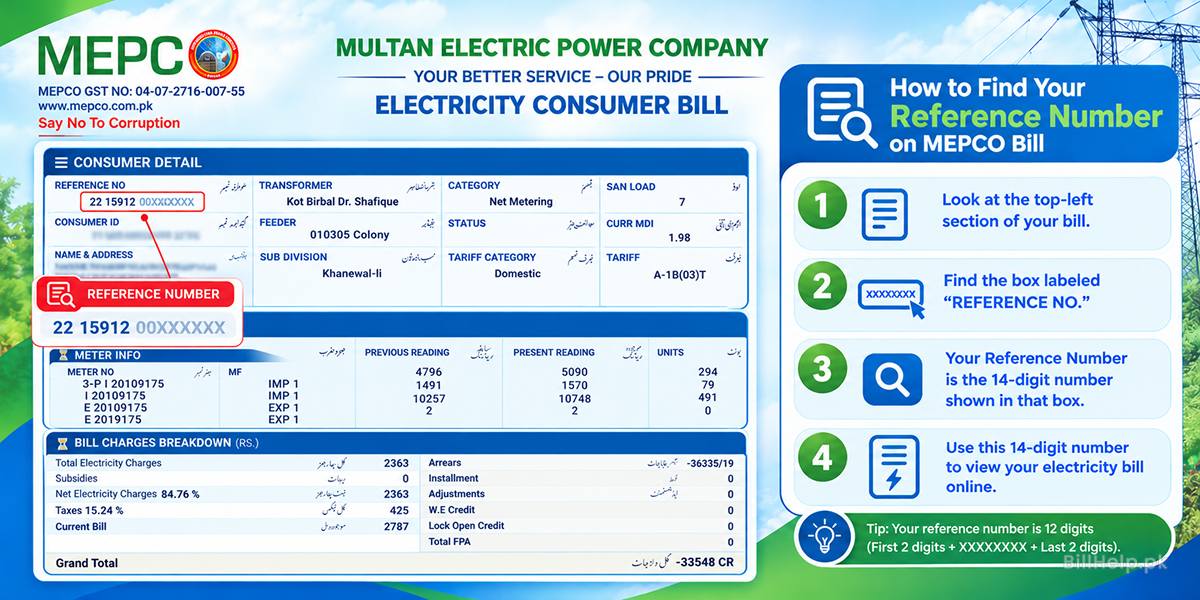
Where is the 14-digit MEPCO reference number?
A MEPCO bill check needs one of two numbers from an old bill. The official PITC web bill has the same two options: Reference No and Customer ID. Both are printed on the physical bill, and both open the same bill on this page.
| Reference number | Customer ID | |
|---|---|---|
| Also called | Reference No., consumer reference | Customer ID or consumer ID |
| What it looks like | A 14-character code, often shown with spaces, such as 05 15111 0023405 U or 12 15412 1234567 R | A shorter 10-digit number |
| Where to find it | Top left or top centre of the bill, near the customer name | Above or beside the reference number box |
| This page | Yes. Type it as one string, with no spaces. | Yes. The checker detects which number you typed. |
| Official PITC web bill | Yes. Choose Reference No. PITC puts the last letter (U or R) in a separate box. | Yes. Choose Customer ID. |
| Load shedding portal | Yes. CCMS asks for the 14-digit reference number, or a 6-digit feeder code. | That portal does not ask for the customer ID. |
The meter number is different. You do not need it for this checker.
If the paper bill is gone, you can still check a MEPCO bill with the consumer ID or with a number saved in a bank app. The guide to a MEPCO bill without a reference number lists five ways to recover it. If the number is rejected, see why a reference number shows bill not found.
How to check your MEPCO bill online
A MEPCO duplicate bill check takes less than a minute. The form on this page accepts a reference number or a consumer ID and detects which one you typed.
Open the checker
Use the MEPCO bill checker at the top of this page.
Enter the reference number or consumer ID
Type the 14-digit reference number or the 10-digit consumer ID. Do not add spaces.
Residential and industrial bills
You do not choose a bill type. The checker tells a normal connection from an industrial MDI reference number.
Open the current bill
Select Check Bill. The latest MEPCO electricity bill loads with the amount and the due date. Confirm the name and the reference number are yours before you pay.
How to download or print a MEPCO duplicate bill
A duplicate MEPCO bill is a copy of the latest bill. Save it as a PDF for a bank, a wallet app, or your own record. It is the bill to use when the printed copy never arrived.
- After the bill opens, choose the full bill. On a computer, press Ctrl + P, or use the printer icon at the top right of the bill.
- On a phone, open the browser menu and choose Share, then Print.
- Set the printer to Save as PDF if you want a file instead of paper.
Is my MEPCO bill paid or not?
Paid your bill but not sure it went through? You can check it. Use our bill paid or not checker. Pick MEPCO and enter the same reference number.
Keep the payment receipt or app screenshot. If the bill still shows unpaid, the receipt helps at the MEPCO office.
Save your reference numbers
Many people check more than one MEPCO bill. Think of your parents' house, a rented flat or your shop. Typing 14 digits each month is slow.
- Check a bill once with the form at the top of this page. BillHelp saves that number in your own browser by itself. There is no button to press.
- Next time, your saved numbers show under the form. Tap one to fill it in, then press Check Bill. Tap the small x to remove one.
- Saved numbers stay on that phone or computer only. Save them again on a new device.
- Clearing your browser data also removes them.
Want a reminder too? Turn on email alerts for each number.
What a MEPCO bill shows
Do not look only at the final figure. A MEPCO bill also shows the billing month, meter reading, units consumed, taxes and duties, any previous balance, and the amount payable by the due date. The printed layout is explained field by field in how to read a MEPCO bill.
Units and meter reading
The units are the difference between the current reading and the previous reading. Compare them with last month before you treat a high bill as a mistake.
Due date and amount payable
The due date is the last day to pay the amount on this bill. Paying after that date can add a late charge on the next bill.
Taxes, duties and fixed charges
The payable amount can include electricity duty, GST and a fixed monthly charge, not only the units. See fixed monthly charges on an electricity bill.
Estimate the bill from units
If you want a figure before the official bill is issued, use the MEPCO bill calculator and current tariff. Enter units or a meter reading. The calculator is an estimate. The bill on this page is the official amount.
MEPCO peak hours for time-of-use meters
Peak and off-peak times apply only if you have a time-of-use (TOU) meter. A home with a sanctioned load under 5 kW is billed at one rate for every hour. Homes with a sanctioned load of 5 kW or more are given a TOU meter.
NEPRA set these windows in its MEPCO supply tariff determination of 7 January 2026. They are seasonal rules, not a separate circular for each month. MEPCO does not publish a month-by-month peak-hours page. November falls in the September to November window, so the official peak time in that determination is 6 PM to 10 PM.
| Months | Peak hours | Off-peak |
|---|---|---|
| December to February | 5 PM to 9 PM | The other 20 hours |
| March to May | 6 PM to 10 PM | The other 20 hours |
| June to August | 7 PM to 11 PM | The other 20 hours |
| September to November | 6 PM to 10 PM | The other 20 hours |
NEPRA says these times should be adjusted if daylight saving is used. For the latest tariff notice, use MEPCO’s tariff structure page, which points to NEPRA, or the 7 January 2026 determination (PDF).
What pro rata means on a MEPCO bill
Pro rata is a way to adjust units when the meter was not read for a normal billing period. It can change the units billed in that month, and sometimes the slab that is applied.
NEPRA’s Consumer Service Manual (revised 26 November 2025) says pro-rata billing should be used if a cycle runs longer than the normal period because of force majeure or another unforeseen situation. Units are worked out for a normal month. Extra units are carried to the next bill. Lifeline or protected status for that month is kept.
NEPRA’s own example: 54 units read in 33 days become 49 units on a 30-day bill (54 ÷ 33 × 30). The other 5 units go to the next month.
NEPRA has also directed companies not to scale up a short reading period (less than the normal month) with pro rata, because that can push a household into a higher slab. If your bill shows pro rata and the days or units look wrong, keep the bill and raise it with MEPCO, or through the official complaint routes.
MEPCO bill check in all 13 South Punjab districts
MEPCO serves 13 districts in South Punjab: Multan, Muzaffargarh, Layyah, Dera Ghazi Khan (DG Khan), Rajanpur, Lodhran, Bahawalpur, Rahim Yar Khan, Khanewal, Sahiwal, Pakpattan, Vehari and Bahawalnagar. The same online bill check works in every one of these areas, with the reference number from any MEPCO bill.
MEPCO operates through nine circles, listed on its official contact page. Each circle has its own phone list there.
| # | MEPCO circle |
|---|---|
| 1 | Multan |
| 2 | DG Khan |
| 3 | Vehari |
| 4 | Bahawalpur |
| 5 | Sahiwal |
| 6 | Rahim Yar Khan |
| 7 | Muzaffargarh |
| 8 | Bahawalnagar |
| 9 | Khanewal |
Check a MEPCO bill without a reference number
A lost bill does not always block a MEPCO online bill. Try the 10-digit consumer ID first. It is enough for the checker on this page. If you have neither number, the MEPCO bill without a reference number guide covers the consumer ID, a bank app payment history, an old SMS, and a visit to the customer care office.
Do not guess digits. One wrong character returns no bill, or someone else’s bill. Copy the code from a photo of an old bill when you have one.
PITC and the MEPCO web bill
MEPCO bill data is stored with PITC, the Power Information Technology Company. PITC keeps the billing records for the public distribution companies. A “web bill” or “PITC bill” search is the same task: open the latest MEPCO bill from that record.
This page sends the reference number you enter to that bill record and shows the current result. It is a free helper. It is not the MEPCO office, and you do not create an account to view a bill.
How to check the MEPCO load shedding schedule
MEPCO does not issue one timetable for every area. Load management is set feeder by feeder and can change with demand and grid conditions. Use the official tools below. Do not rely on a copied list of hours.
Open the official feeder portal
Go to the PITC Load Management Portal. MEPCO links this page as the feeder-wise load shedding schedule for consumers.
Enter your reference number
Type the 14-digit reference number from your MEPCO bill, with no spaces. The same form also accepts a 6-digit feeder code if you already have one.
Read today and tomorrow
Press Search. The portal shows your feeder, grid, sub-division, and the planned schedule for today and tomorrow.
Check planned maintenance separately
A maintenance shutdown is not the same as daily load management. Open MEPCO’s Electricity Shutdown page and read the latest notice for your circle or grid.
MEPCO also has landing pages for the load shedding schedule and load management updates. A July 2024 PDF still linked there is not a current monthly schedule, so use the feeder portal for today’s timings.
How to pay a MEPCO bill online
Pay only after the name, reference number, billing month and amount match your connection. These are the usual ways to pay a MEPCO electricity bill in Pakistan:
- Mobile wallets: Easypaisa, JazzCash, Nayapay or SadaPay. Choose utility bills and enter the reference number.
- Bank apps: HBL, Alfalah, UBL, Meezan and other apps have a utility-bill payment. The reference number is the account number they ask for.
- Cash: A bank, a post office, or an Easypaisa shop can take a printed duplicate bill.
The guide to paying electricity bills online walks through wallets, bank apps and ATMs. Keep the receipt until the next MEPCO bill shows the payment.
Tariff, subsidy and a MEPCO detection bill
A higher MEPCO bill is often units, a previous unpaid balance, or taxes. Check the reading first with the bill-reading guide. If you want the slab rates behind the units, open the MEPCO tariff and bill calculator.
Subsidy
Some consumers can register for a MEPCO bill subsidy from the QR code on the bill. Read who can apply and how to avoid fake subsidy links before you enter a CNIC on a page you do not trust.
Detection bill
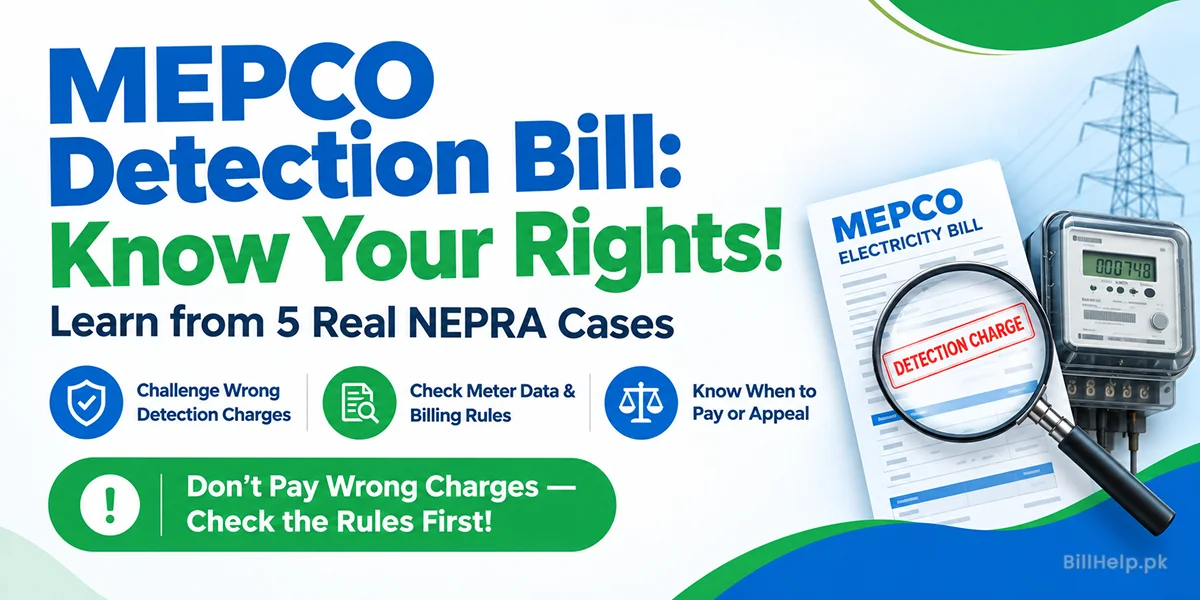
A detection bill is an extra charge after a meter inspection, not the normal monthly units. MEPCO detection bill rules and real NEPRA cases explains when those bills were cut, withdrawn or upheld.
Still unpaid after you paid
Payment posting is not always instant. Check again later with the same reference number. If the next bill still shows the old amount, use the receipt with MEPCO.
A Multan Summer Month in the MEPCO bill calculator
Take a home in Multan or Bahawalpur running one AC through June: say 350 units on a 2 kW load. On November 2026 rates, our calculator puts that at about Rs 17,398, or around Rs 50 per unit with everything included. For the slab details behind that figure, read our MEPCO tariff guide.
MEPCO green meter bill and net metering
A green meter bill is not read like a normal one-way bill. It can show import units, the electricity you took from MEPCO, and export units, the electricity your solar sent out. The amount payable depends on the net of those units.
Check that bill with the same reference number on this page, then use the MEPCO green meter and net metering guide to read import, export and the duplicate copy.
Load extension and a name change
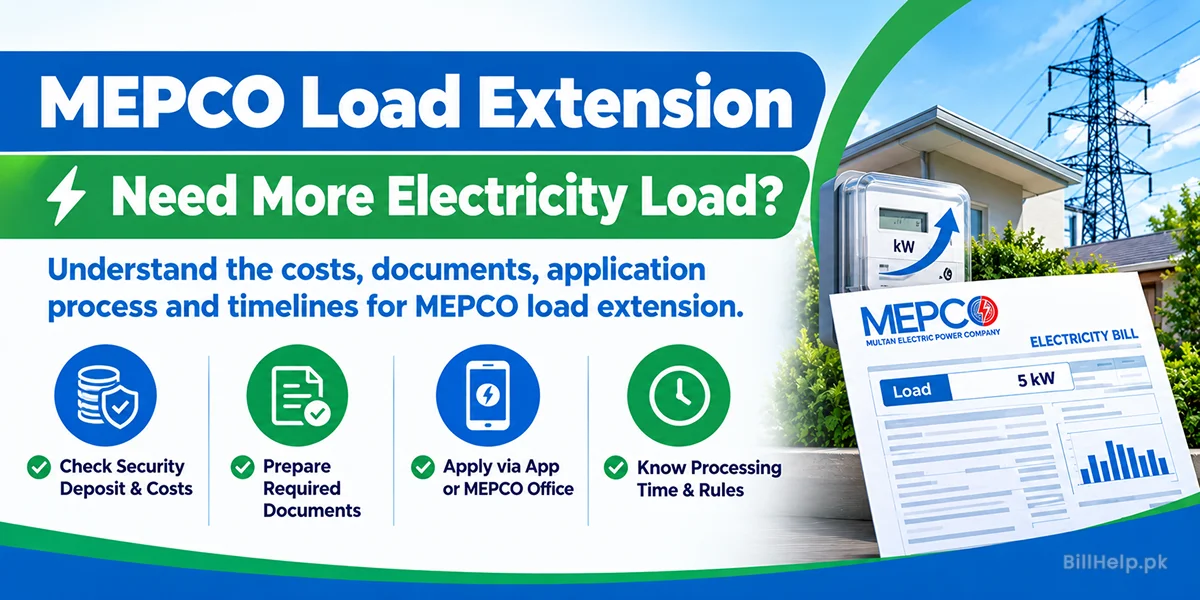
Two jobs sit beside the monthly bill. A load extension raises the sanctioned load when the meter is too small for new appliances or solar. The MEPCO load extension guide covers the security deposit, the papers, where to apply and the time limits.
A name on the bill that still belongs to the previous owner is a separate application. How to change the name on an electricity bill explains the online and office routes after a sale or inheritance.
MEPCO bill not found
If the checker says the bill was not found, or the reference number is invalid, check these before you try again:
- The company is MEPCO, not LESCO, FESCO or another DISCO.
- The reference number has no spaces, and the last letter is included.
- You did not type the consumer ID into a field that still has part of an old number.
- The connection was not disconnected, and the reference number was not replaced after a meter change.
Bill not found or an invalid reference number goes through a changed reference, the wrong company and a disconnected meter. For MEPCO complaints, use the phone number printed on your bill.
.