Why You See "Bill Not Found" Even With the Correct Reference Number
The digits match the bill in your hand, and the portal still answers Bill Not Found, Record Not Found, or Invalid Reference Number. Run the short checks below before you assume the connection is dead.
If you are PTCL customer, read this guide.
Quick Answer
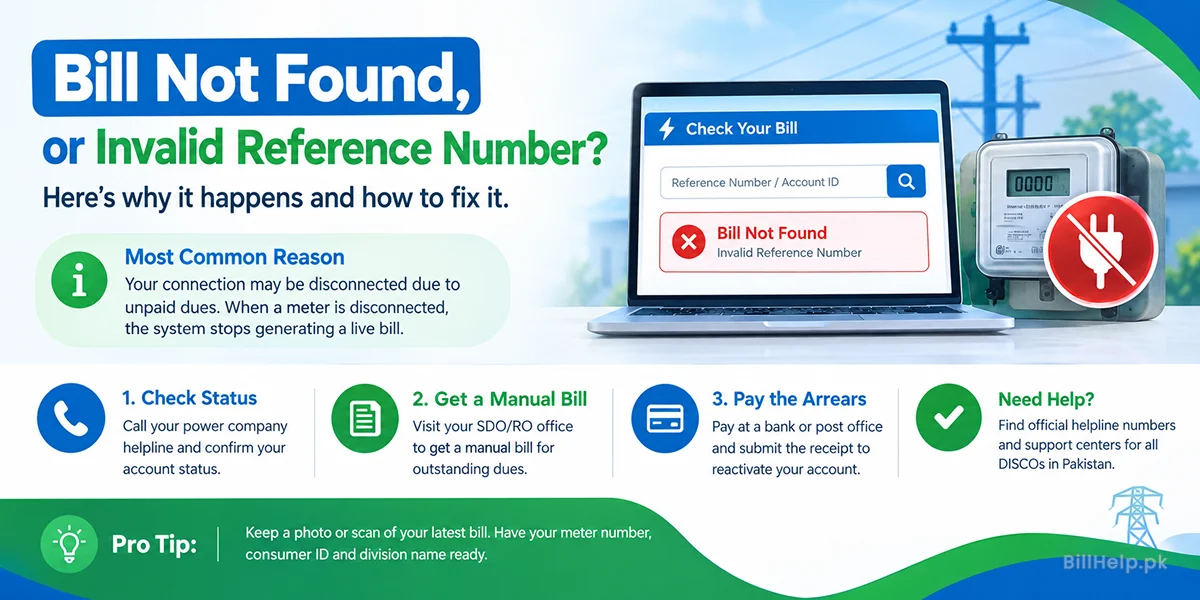
When the reference number on your latest bill is correct, that error usually means the power company has marked the connection as disconnected after unpaid dues. A disconnected meter drops out of the public billing batch, so no live web bill is created for it.
Two faster causes come first. You may have opened the wrong company, or the reference on an older bill may no longer be the one the system expects. IESCO's July 2026 batch change is the common case people describe as a "17-digit reference." The number is still 14 digits. The batch code changed for AMI meters in Rawalpindi City and Cantt.
The Error Everyone Double-Checks
You open the electricity bill checker, copy a 14-digit reference number or a 10-digit customer ID from an old invoice, press search, and the page comes back empty.
A zero that looks like the letter O is worth a second look. If every digit really matches, the portal is not guessing. It is telling you that this number is not on the active bill list for the company you selected.
The Numbers on Your Bill
These four labels decide whether a duplicate bill can load at all.
1. Reference Number
A 14-digit code tied to your meter, sub-division, and feeder. On an IESCO bill it is the number the online checker asks for first. MEPCO prints the same kind of reference on the paper bill.
2. Consumer ID / Account ID
A shorter ID, often 10 digits, used beside the reference. K-Electric and IESCO both accept a customer ID on their bill pages. Banking apps such as JazzCash and Easypaisa store this ID as the biller account.
3. Active Connection
A meter that is still in the monthly billing cycle. Units are recorded and a fresh bill is issued about every 30 days. You can check whether the last bill was paid only while that bill still exists online.
4. Temporary or Permanent Disconnection
Power cut for non-payment, often written as TDN or PDN. Once the account leaves the active roster, public bill pages stop returning a duplicate for that reference.
Rule These Out Before You Assume Disconnection
Most "invalid reference" searches are fixed by one of these, without a visit to the revenue office.
2. The reference itself changed
DISCOs sometimes split a crowded sub-division, and the first digits of a 14-digit reference can change. For IESCO AMI meters in Rawalpindi, the July 2026 update moved old batches 1 and 2 to batch 17. See how to read the new IESCO reference. It is not a new 17-digit number.
3. You no longer have the right number
An old photo, a bank receipt, or a saved biller is usually enough. If the paper bill is gone, use the lost IESCO reference guide or the MEPCO bill without a reference number. IESCO's public bill page does not search by CNIC or meter number. Here is what the office can look up instead.
4. The monthly batch is still updating
Between the 1st and the 10th, bill servers sync new readings. A reference that worked last week can fail for a few hours and then load again. Wait and retry the same company page before you treat it as a dead account.
This page is for electricity. A gas or water account uses a different ID. Open SNGPL, SSGC, WASA Lahore, or KWSB Karachi if that is the bill you are trying to view.
The Hidden Reason: The Connection Was Disconnected
A missed month often just rolls forward with a late surcharge. After several unpaid cycles, recovery rules are stricter.
- 1. Removal from the active billing batch. When bills stay unpaid for consecutive cycles, often two or three months, the revenue office can issue an Equipment Removal Order (ERO) or a disconnection order.
- 2. The database stops publishing the bill. Once the meter is marked disconnected or dormant, the public HTML and PDF bill for that reference is no longer generated. That avoids a fake monthly average on a meter that is not being read.
- 3. The error text is generic. Older systems do not say "Account disconnected for arrears." They return the same line they use for a typo: Record Not Found or Invalid Reference Number.
Important: Lights in the house do not prove the account is active. If the line staff have not removed the drop wire or the meter yet, supply can still be there while the billing database has already closed the connection.
What to Do If the Number Is Right and the Bill Still Will Not Load
Use this order. The helpline can confirm a disconnection flag before you spend a morning at the sub-division.
Ask the helpline if an ERO is open
Call customer care with the reference number and the meter serial number. Ask whether the account is under a disconnection order. Numbers for every DISCO are on the Electricity Help Center. City-level lists are in the IESCO complaint guide and the LESCO helpline directory. K-Electric customers can also pull a duplicate from WhatsApp, SMS, or email while the account is still active.
Collect a manual restoration bill
If the account is disconnected, banking apps reject the payment because there is no live bill to attach it to. Visit the Sub-Divisional Officer or the Revenue Office and ask for a manual computer slip. It should show total arrears plus the reconnection fee.
Pay, submit the receipt, then check again
Pay at a commercial bank or post office, and give a stamped copy to the sub-division desk. They issue a Reconnection Order (RCO) and put the reference back on the billing database. After that, open your company page again and confirm the payment status. Keep a photo of the paid slip with the meter number, consumer ID, and division name on it.
Need the Right Helpline?
Complaint desks, load-shedding contacts, and customer care numbers for Pakistan's electricity companies are listed in one place.
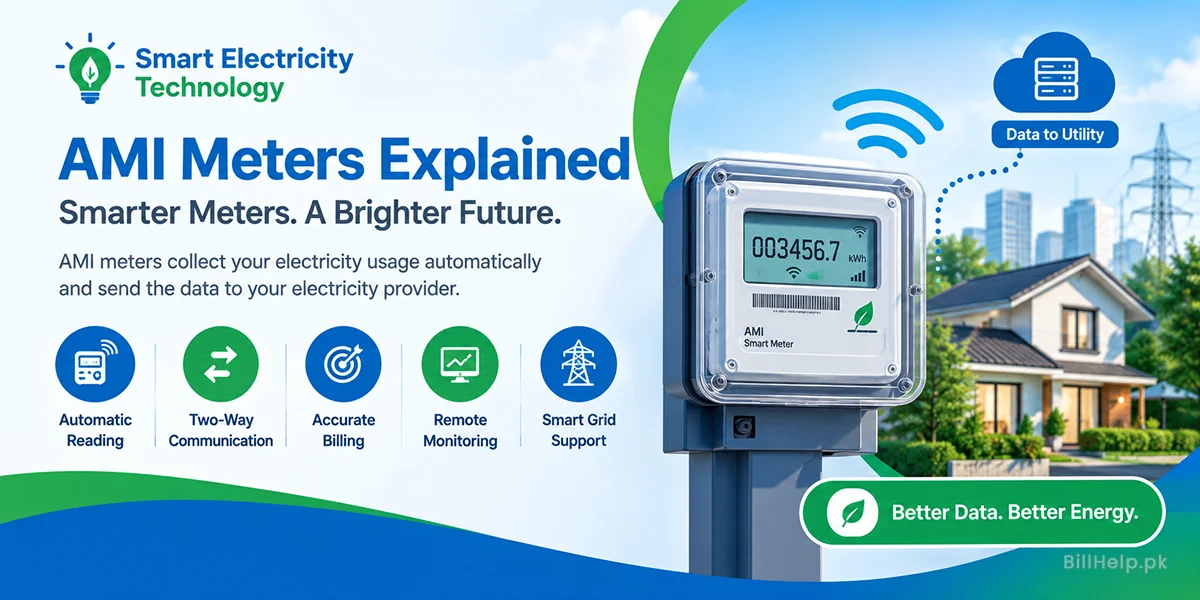
Visit Electricity Help CenterPro tip: Photograph every paid bill before you file the paper away. The meter number, consumer ID, and division name on that photo are what the helpline asks for when a reference stops loading. AMI smart meters make this more important, because a meter change is often when the reference batch is updated.
Official sources to check:PITC web bill service · K-Electric