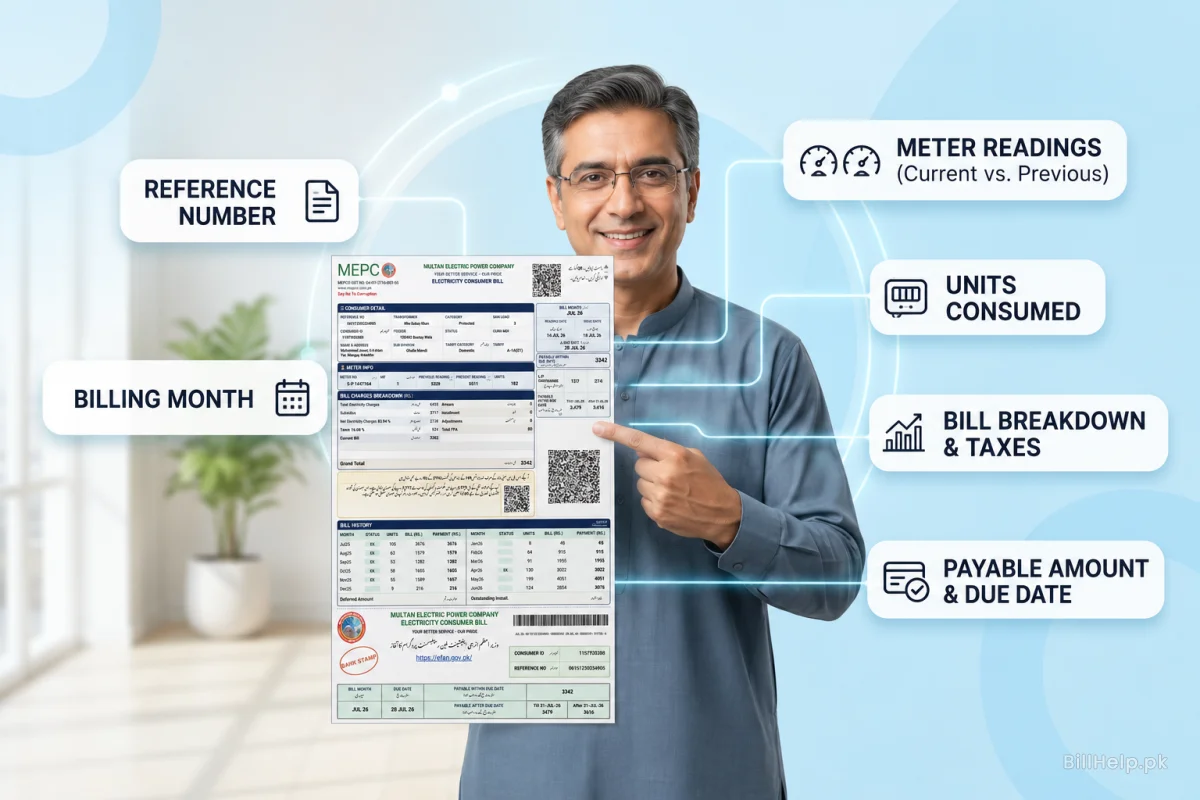
Your printed MEPCO bill is much more than just a paper showing a final payable amount. The front side of the bill is packed with essential account records, power usage history, meter details and complex tax calculations.
If you want to read your meter statement like an expert, you need to know what each section means. This comprehensive breakdown explains every single element found on the front of your physical bill, helping you understand what you are paying for and why.
1. Main Identification & Account Codes
At the very top of the bill, you will find your critical account identification codes. These numbers connect your physical connection to the primary database of the power distribution network:
14-Digit Reference Number
Your permanent account string. It includes code blocks for your specific sub-division, category status, and batch code. Use this alphanumeric sequence to search for your bill duplicate sheets online.
10-Digit Consumer ID
A shorter, purely numeric code printed near your reference number. It connects directly to your identity file and serves as a fast backup check string if your reference number is missing.
The Optical Barcode
The block of black and white lines printed at the bottom of the bill is used by banks, post offices and automated scanners. It speeds up the confirmation of payment and prevents manual typing errors.
2. Meter Reading and Billing Cycle Dates
Your consumption calculations are based on reading windows and the processing times at which they occur. Look at the date section on the front page to track these milestones:
Reading Date (M.R. Date)
The exact day the MEPCO meter reader visited your location to record your current kilowatt-hour consumption directly from your physical meter display.
Issue Date
The day your monthly bill was processed, printed, and uploaded online to the PITC central server databases.
Due Date
The last day to pay your regular bill amount. Missing this deadline triggers an automatic late payment surcharge on your next cycle.
Connection Load (Load KW)
The maximum electrical load (in kW) that is allowed for your household. If you go over this limit you can get overloading penalties.
3. Billing calculations & usage history
The front of your bill includes columns that outline how your electricity units are calculated, along with a historical graph of your usage:
Current and Previous Readings
Displays your meter reading from last month and your current meter reading. By subtracting the previous number from the current number you get your consumed units (KWH).
Tariff Class & Category
Code for your connection category (e.g. A1-a for Residential, A2 for Commercial). This code indicates the exact slab of unit rate applicable to your household.
The Consumption Table for 12 Months
A monthly breakdown of the energy you used over the last year. This table helps you compare seasonal changes and monitor if you qualify for subsidized "Protected" status.
Cost of Electricity
The actual base price of the units you used before taxes, service duties, adjustments and extra surcharges are added.
4. Taxes, Duties & Grand Totals
On the bill , the bottom and right side columns contain a detailed breakdown of your taxes and final amounts payable:
| Billing Term | FulL Form & Function | Tax Type |
|---|---|---|
| G.S.T. | General Sales Tax applied at 17% of the base electricity cost. | Federal Tax |
| E.D. | Electricity Duty collected on behalf of the provincial government. | Provincial Duty |
| F.P.A. | Fuel Price Adjustment based on global fuel costs used for power generation. | Variable Surcharge |
| F.C. Surcharge | Financing Cost Surcharge calculated at Rs. 0.43 per unit. | Debt Surcharge |
| PTV Fee | A flat fee of Rs. 35 for residential connections (Rs. 60 for commercial). | Flat Service Fee |
| Payable within Due Date | The exact amount you owe if you pay on or before the deadline. | Regular Total |
| Payable after Due Date | The total bill amount including a late payment surcharge (usually 10% extra). | Late Total |
Reading Verification Pro-Tip:
Always double-check the “Present Reading” value displayed on the front of your printed bill against the active digits displayed on your physical meter screen at home. If your bill reflects a number higher than that reflected on your actual meter, your meter reading was recorded incorrectly. You can report this to your local subdivision office to request a corrected bill.