Why Pay Your SNGPL Bill Online?
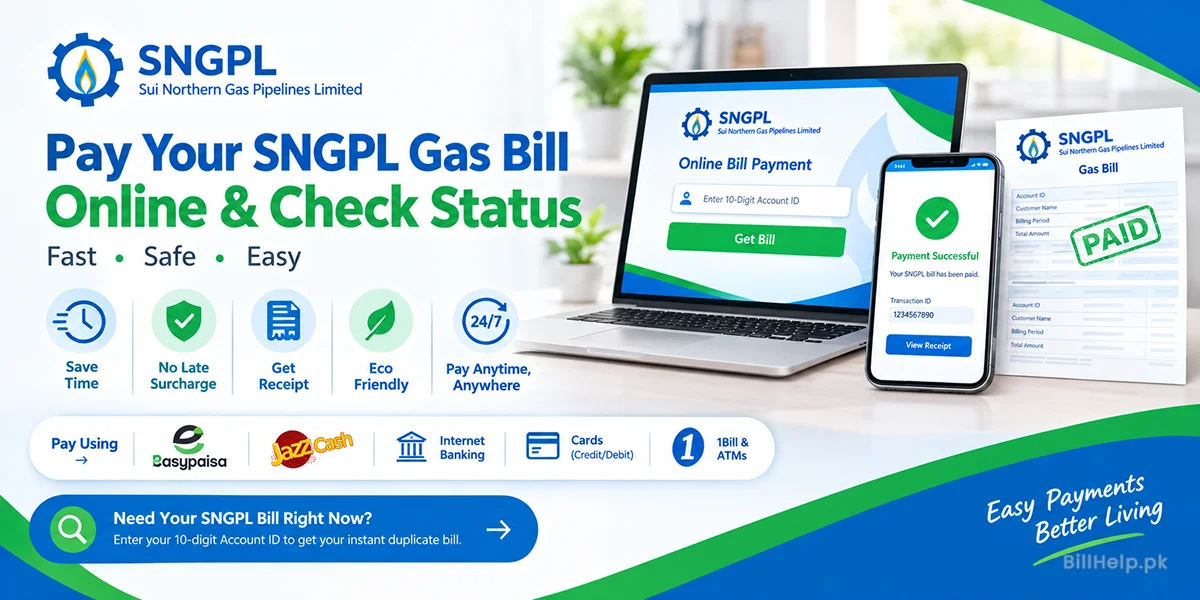
A bank queue is the slow way to clear a Sui Northern gas bill. With the 10-digit Account ID from the top left of the bill, EasyPaisa, JazzCash, a banking app, or an ATM can take the payment in about a minute.
SNGPL serves more than 7.2 million homes, shops, and factories in Punjab, Khyber Pakhtunkhwa, and Azad Jammu & Kashmir. If the bill in your hand is from Karachi, Sindh, or Balochistan, it is SSGC, not SNGPL. Use the SSGC payment guide instead.
Before you pay, check the SNGPL duplicate bill so the name and amount match your account. You can also get the new bill by email each month, which is the simplest way to pay before the due date.
- Pay on your own time. Wallets and bank apps work at night, on weekends, and on public holidays.
- Avoid the late surcharge. Paying on or before the due date keeps the extra fee off the next bill.
- Keep proof. SMS, email, and the transaction ID are what you show if the bill still says unpaid.
- Catch a wrong account. The app shows the consumer name before you confirm. Stop if that name is not yours.
Need the amount before you pay?
Enter the 10-digit Account ID to view the current SNGPL bill, due date, and arrears.
Best Online Payment Methods for SNGPL Gas Bills
Every channel below asks for the same 10-digit SNGPL Account ID. If the paper bill is missing, recover that ID from an old SMS, a bank biller, or the SNGPL Customer Care app.
1. EasyPaisa
Use this when the bill amount is already in your EasyPaisa wallet.
- Open the EasyPaisa app and sign in with your PIN or fingerprint.
- Tap Bill Payment.
- Choose Gas.
- Select SNGPL.
- Enter the 10-digit Account ID from the top left of the bill.
- Check the consumer name and the amount on the screen.
- Tap Pay and save the receipt or a screenshot.
2. JazzCash
JazzCash lists the company as Sui Northern (SNGPL).
- Open JazzCash and enter your 4-digit PIN.
- Go to Pay Bills, then Gas.
- Tap Sui Northern (SNGPL).
- Enter the 10-digit Account ID.
- Read the billing month and the total due. Do not pay if the name is wrong.
- Confirm with your PIN.
- Keep the receipt. A screenshot is enough if you cannot download it.
3. Mobile banking apps
HBL, Meezan, UBL, Allied Bank, MCB, Bank Alfalah, NBP, and most other apps support SNGPL. Menu names differ slightly.
- Open your bank's official app, not a link from an SMS.
- Open Bill Payments or Utility Bills.
- Add a biller and choose Gas, then SNGPL.
- Enter the 10-digit Account ID and confirm the name that comes back.
- Approve the payment with the OTP your bank sends.
- Save this biller. Next month is one tap.
4. Debit or credit card
Use your bank's 1Bill page or the SNGPL card option when a wallet balance is not enough.
- Open your bank's 1Bill or bill-payment page.
- Choose card payment and select SNGPL.
- Enter the 10-digit Account ID and check the charges.
- Enter the card number, expiry, and CVV only on that bank page.
- Complete the 3D Secure OTP from your bank.
ATMs and 1Bill
An ATM works the same way when the apps are down. Insert your debit card, choose utility bill payment, select 1Bill or SNGPL, enter the 10-digit Account ID, and confirm the deduction. Take the paper slip. It is the receipt you will need if the bill stays unpaid.
What the Main Fields on an SNGPL Bill Mean
Read these six fields before you pay. They tell you whether the amount is yours, whether last month cleared, and why the bill jumped. The full price bands are in the SNGPL tariff and slab guide.
| Field | Where it sits | Why it matters |
|---|---|---|
| Account ID | Top left | The 10-digit number every wallet, bank, and the duplicate bill check asks for. |
| Consumer name and address | Top center | Must match the person who pays. A wrong name is fixed through SNGPL name change, not by paying a different ID. |
| Current and previous reading | Middle | Meter index in cubic metres (m³) for this cycle. A stuck meter is something to raise on 1199. |
| HM³ consumption | Middle right | Usage in hundreds of cubic metres. This is the figure that decides your slab. |
| MMBTU | Calculation area | Heat value of the gas, from volume and gross calorific value (GCV). You are billed on energy, not only on volume. |
| Surcharge / arrears | Charges table | Last month's unpaid amount plus any late fee. Pay this with the current charges, or the next bill will carry it again. |
Protected and Non-Protected Gas Slabs
OGRA sets the rates. SNGPL then applies them in two domestic groups, based on winter use. The rupee rates change, so use the current SNGPL slab table when you want the price per unit rather than a summary.
Protected consumers
Households that stay under 0.9 hm³ in the peak winter months are treated as protected. They pay a lower base rate. One heavy heater month can push the account out of that group.
Non-protected consumers
Anyone above that winter baseline is non-protected. The rate rises as consumption moves into the next band, so the last units of the month cost more than the first.
Winter tip: A geyser left on all day, or a heater in an unused room, is what knocks a protected account into the higher band. If the bill still looks wrong after you compare HM³ with last month, submit a fresh meter reading in the SNGPL app and check the slab guide before you file a complaint.
How to See Whether the SNGPL Payment Went Through
Do not close the app and assume the bill is clear. Banks and wallets can show success while SNGPL still shows unpaid for a day or two.
1. Open the bill again after 24 to 48 hours
Enter the same Account ID on the SNGPL bill page. When the bank advice has reached SNGPL, the status shows PAID.
2. Keep the wallet or bank receipt
Save the SMS, the email, and the transaction ID from JazzCash, EasyPaisa, or your bank. That ID is what customer care asks for if the payment is missing.
3. Check arrears on the next bill
A cleared month shows Arrears: 0.00 on the following statement. Anything above zero means the previous payment did not land on this Account ID.
When the Payment Does Not Look Right
You paid twice
The extra amount is not forfeited. SNGPL credits it to the same Account ID and uses it against a later bill. Note the transaction IDs anyway, in case you need the balance explained.
You paid the wrong Account ID
Call the wallet or bank helpline at once and give them the transaction ID. Ask for a wrong-account reversal. SNGPL cannot move money that a bank posted to someone else's gas account. If the name on the confirmation was not yours, say that in the dispute.
The account was charged, but the bill still says unpaid
Wallet payments often show within 24 hours. Card and bank transfers can take 48 to 72 hours. If three business days have passed, email customercare@sngpl.com.pk with the transaction ID, the Account ID, and a photo of the receipt. The same case can go through 1199 and the SNGPL complaint contacts.
If the arrears are too large to clear in one payment, ask about a plan before the gas is disconnected. The steps are in SNGPL bill installments.
Who to Contact After You Pay
Use these when a balance will not update, the meter is not moving, pressure has dropped, or the bill amount does not match your readings.
Helpline
Call 1199 for emergencies and complaints. Numbers, WhatsApp, and what to say are in the SNGPL helpline guide.
customercare@sngpl.com.pk. Attach the payment receipt and write the Account ID in the subject.
Regional office
Lahore, Rawalpindi, Multan, Faisalabad, and the other desks are listed in the SNGPL office directory.
Frequently Asked Questions
Official sources to check:SNGPL official website