Overview of SNGPL Official App
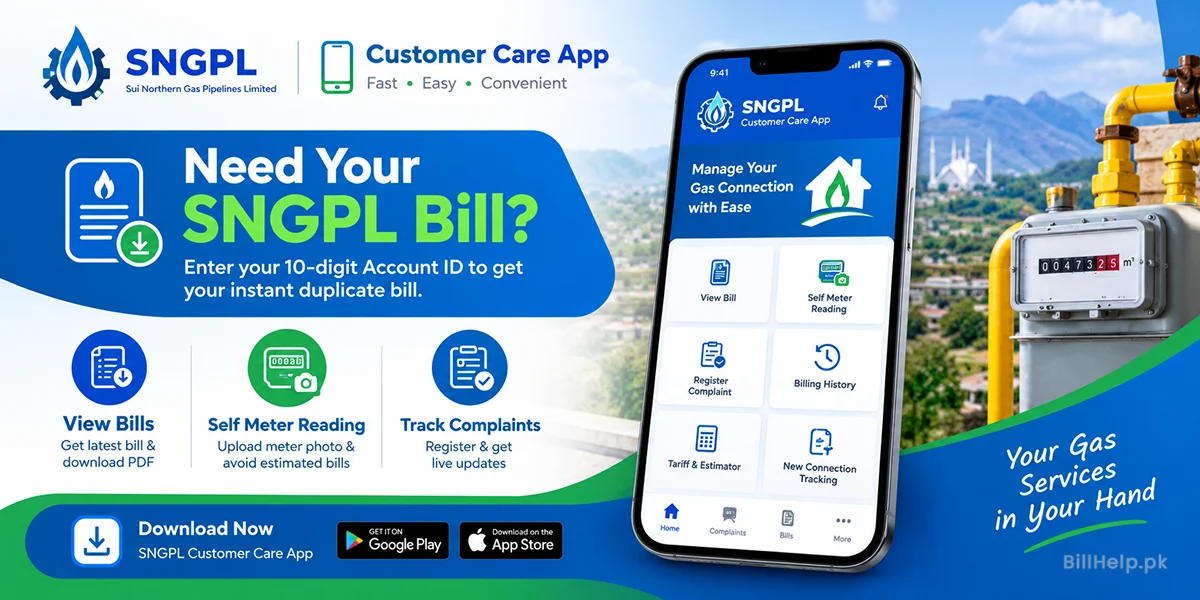
Sui Northern Gas Pipelines Limited offers an official mobile application called SNGPL Customer Care App for Android and iPhone users. This app brings all essential gas utility services directly to your mobile device.
Managing public utility services across Punjab, Khyber Pakhtunkhwa and Azad Jammu & Kashmir has evolved drastically. Connections in Sindh and Balochistan belong to SSGC, which uses a different bill and a different app. Historically, consumers had to visit regional customer service centers or wait in long physical queues just to get duplicate bills, log complaints or verify meter readings. The official mobile app addresses these pain points by serving as a comprehensive digital portal.
With millions of active domestic, commercial and industrial connections managed by SNGPL, the digital app minimizes manual overhead while empowering consumers with real-time access to their accounts. Whether you are at home, in the office or traveling, managing your natural gas connection requires only a smartphone and an active internet connection.
Key Features of SNGPL Customer App
The official application packs numerous powerful utilities into a clean, modern dashboard. Here is a comprehensive breakdown of what you can accomplish within the app:
Instant Bill Viewing & PDF Download
View latest monthly bill, payable amount, due date and download PDF duplicate bill instantly. You may download the PDF statement to your phone storage directly for official submission or record-keeping.
Upload a Photo of the Self-Meter Reading
Avoid estimated billing and wrong-reading complaints. Upload a clear photo of your gas meter. This feature allows transparency between the consumer and the utility supplier.
Complaint Registration & Ticket Tracking
Register complaints for gas leakage, low gas pressure, or a missing bill, then follow the ticket in the app. Get live status updates as your field teams work to resolve your ticket.
Billing and Payments
See up to 12 months of billing history and whether a payment has been posted. The ways to pay, and what to do if it stays unpaid, are in how to pay an SNGPL bill. Better understand seasonal trends to get a better handle on your household energy budget.
Gas Tariff & Estimator
Use an estimated meter read to calculate your next bill. Learn how slab rates work for protected and non-protected consumers before the official bill is announced.
New Connection Tracking and Alerts
Track a new gas connection or load extension without a trip to the office. The app also sends due-date alerts. If you only want the bill by email, use monthly bill alerts.
How to Download & Install SNGPL App APK File
The app is easy to install on both Android and iOS devices. Be sure to install the genuine version and follow the steps exactly:
- Download SNGPL ConnectOn on Google Play or the SNGPL ConnectOn app on the App Store. It is published by Sui Northern Gas Pipelines Limited.
- If you search instead of using those links, type SNGPL ConnectOn.
- Choose the official app made and published by Sui Northern Gas Pipelines Ltd.
- Click Install (or Get) and wait for the download to finish.
- Open the app and give it the permissions it needs (like camera to upload photos of meters).
- Register or login with your mobile number and 10 digit SNGPL Account ID.
Step by step instructions to register and setup your account
To view personal billing details and create service tickets you must complete the one-time registration process inside the mobile app. Set up your account securely with this guide:
1. Collect Required Account Information
Before you proceed to the registration screen, make sure you have your 10-digit Account ID (top left of a printed bill, or on a duplicate bill), CNIC number of the registered connection holder and an active mobile number that can receive SMS messages.
2. Enter Registration Details
- Open the SNGPL Customer Care App and click on "Register New User".
- Enter your 10 digit SNGPL Consumer/Account ID.
- Enter your active 11 digit mobile number.
- Create a strong password with a combination of letters, numbers and special characters.
3. One-Time Password (OTP) Verification
An automated verification code of 4 or 6 digits will be sent to your mobile number via SMS. Enter this OTP on the app verification prompt to verify your ownership and complete your registration.
How to Submit Self Meter Reading via Mobile App
The SNGPL Customer Care App has a very useful feature that allows you to submit self meter reading directly to the billing server to avoid estimated billing if meter readers can’t get to your premises.
| Step Number | Action Required | Details & Best Practices |
|---|---|---|
| Step 1 | Go to Meter Reading | Open the app dashboard and click on “Self Meter Reading” module. |
| Step 2 | Photo of meter capture | Use the built-in camera tool to take a clear, well-lit photo of the gas meter display. Make sure numbers are legible. |
| Step 3 | Enter Display Digits | Enter the exact number shown on the black and red counter dials into the reading field. |
| Step 4 | Submit & Verify | Look at the picture and enter the number and then tap "Submit Reading". Please find the submission reference ID below. |
Track Gas Complaints on Mobile & Register
Quick communication for gas emergencies, leakage concerns or low pressure issues. The mobile app makes reporting an emergency easy and fast – no phone calls required:
Types of complaints you can log
- Gas Leakage (Emergency): Use the app, and also call 1199. A leak should not wait on a ticket alone.
- Low Gas Pressure: Sent directly to distribution engineers who adjust valves regionally
- Billing error: Dispute a wrong reading, unpaid arrears, or a payment that was not credited.
- Meter Defect / Damage: Report stopped, fogged or physically broken gas meter counters.
When a Complaint is received, the system assigns a unique Complaint Ticket Number. Open Track Complaint in the app to see who is assigned and whether the ticket has moved. If it stalls, call the SNGPL helpline or visit the regional office for your city.
SNGPL App vs. Web Portal vs. BillHelp.pk Comparison
Depending on your short-term goal, whether you want to print a duplicate bill without logging in, or you want to manage long-term account settings, different channels serve different needs:
| Feature / Utility | SNGPL Mobile App | SNGPL Web Portal | BillHelp.pk |
|---|---|---|---|
| No Registration Needed | No (Requires Account) | Yes (Direct ID) | Yes (Instant Access) |
| Instant Duplicate Bill PDF | Available | Available | Fast Download |
| Self Meter Reading Photo Upload | Supported | Limited | N/A (Info Portal) |
| Complaint Ticket Tracking | Full Tracking | Web Tracking | Guiding Manuals |
| Speed & Simplicity | Medium (Requires App) | Medium (Browser dependent) | Ultra Fast |