2. What You Need Before Checking Your Bill ?
Checking your WASA Lahore bill online takes less than two minutes. Before proceeding, ensure that you have all necessary details. You do not need to create a username or password.
| Requirement | Details | Where to Find It |
|---|---|---|
| 8-Digit Account Number | Your unique connection identifier assigned by WASA Lahore. | Top corner of any previous paper bill. |
| Internet Connection | Stable mobile data or Wi-Fi connection. | Your smartphone, tablet or laptop. |
| Web Browser | Google Chrome, Mozilla Firefox, Safari, or Microsoft Edge. | Installed on your device. |
| PDF Reader (Optional) | This is required to save the duplicate bill file. | Adobe Reader or the built-in PDF viewer in your default browser. |
3. How to Check WASA Bill Online?
Below are simple steps on how to check WASA Lahore bill online:
Visit the Official website
To view your bill online, visit the official web portal of WASA Lahore (wasa.punjab.gov.pk) or duplicate bill page.
Enter Account number
In the search bar below write your 8-digit account number carefully. Do not add spaces or dashes.
Click Submit
Press the "Submit" or "Check WASA Bill" button. Your full bill copy will open on screen instantly.
Once the bill loads on your screen, double-check the consumer details. Ensure that the address, account number and consumer name should match your property record.
4. How to Download and Print Duplicate WASA Bill
An online WASA bill is an official duplicate document. It holds the exact same legal status as a physical bill delivered by mail. Banks, mobile wallets and official centers accept this duplicate bill for payments.
How to Save as PDF or Print:
- Open your bill on screen following the search steps above.
- On a computer keyboard, press Ctrl + P (Windows) or Cmd + P (Mac).
- If you are on a mobile device, open the browser menu (three dots) and tap Share or Print.
- Under the destination settings, select Save as PDF.
- Choose a folder on your phone or computer and press Save.
- If you have a connected printer, select your printer model and click Print.
Always save a digital copy on your smartphone. Having a PDF copy helps when you need to pay bills while traveling. It's also a proof of residence for official documents.
5. Understand Your WASA Bill Format
Knowing how to read your utility bill will help you keep track of your water use and costs. Below is the line by line description of all the entries found in a typical duplicate bill of WASA Lahore:
1. Account Number
8 digit unique tracking code of your water connection. This number is to be used for all inquiries and payment on-line.
2. Billing Month
The month or billing cycle to which the water and sewerage charges pertain.
3. Consumer's Name & Address
Displays the legal name of the property owner and the physical address of the service installation.
4. Imposing Water Charges
The amount of money spent on the drinking water supplied to the property in the current cycle.
5. Sewerage Fees
Charges for removal of waste water, maintenance of drainage and care of pipeline.
6. Pre-Existing Dues (Arrears)
Any outstanding balance from previous billing cycles. If you paid late last month you may see it here.
7. Due Date
Last day to pay the bill without further penalties. Always pay by this date».
8. Late Payment charge
If you pay your bill after the due date, an additional penalty fine will be automatically charged.
6. WASA Lahore Tariff Heads
WASA Lahore charges different rates of water depending on the usage of the property. Knowing your tariff category means you aren't paying too much. The primary categories include:
Domestic Connections
Applies to residential homes, apartments, and private living quarters. Rates are based either on plot size (marla/kanal) or metered water consumption. Domestic connections enjoy subsidized lower rates.
Commercial Connections
Applies to shops, shopping malls, private offices, restaurants, service centers, and clinics. Commercial tariffs are higher than residential rates due to larger water usage volume.
Industrial Connections
Applies to factories, manufacturing plants, processing units, and industrial facilities. Industrial units are under strict observation to manage their water and waste disposal.
Charitable & Public
Applies to registered mosques, government schools, public parks and welfare trusts. These premises receive special discounted utility tariffs.
7. How to Pay WASA Lahore Bill Online
You can pay your WASA bill electronically in seconds. WASA Lahore connects with 1Bill and 1Link systems, allowing all major financial channels in Pakistan to process payments instantly.
Mobile Wallets
JazzCash, EasyPaisa, NayaPay, SadaPay- Open your JazzCash or EasyPaisa app.
- Tap on Utility Bills and select Water.
- Choose WASA Lahore from the biller list.
- Enter your 8-digit WASA Account Number.
- Verify consumer name, enter PIN and confirm payment.
Mobile Banking Apps
myABL, HBL Mobile, Meezan, UBL Digital- Log into your bank's mobile application.
- Click on Bill Payments / Pay your bill.
- Select Utility Payments and choose WASA Lahore.
- Enter your 8-digit WASA Account Number or Bill ID.
- Analysis your bill details and confirm payment through an OTP.
ATM Machine Payment
Any ATM of any commercial bank in the country.- Go to a nearby commercial bank ATM.
- Insert Your Debit card and Enter Your PIN of 4 Digits
- From the main screen select Bill Payments from the menu.
- Select WASA Lahore and then enter Account Number.
- Print your receipt slip & cheque payment.
OTC Cash
Banks, Post Office, Omni StoresWant to pay in cash? You can!
- You can print your duplicate bill from the internet on paper.
- Visit any commercial bank, Post Office or Omni store.
- Hand the printed bill and cash to the counter teller.
- Collect your stamped customer receipt copy for your records.
8. How to Track WASA Bill Payment Status?
A good idea after you pay a bill online is to check that the payment went through. These are simple ways to help you check the status:
- WASA Duplicate Bill Portal Recheck: Please allow 24 to 48 hrs after receiving payment. Return to the online bill portal and enter your account number. If the payment is processed the payable balance will show as 0 or “Paid”.
- History of Payments Checks: Bank App Check your transaction history/payment log in your banking app. Check the payment reference number, date and amount deducted.
- Save Confirmation Slips: Save screen shots or sms of digital transaction for min 3 months. If there is a dispute later on the bill, they are good legal evidence of work done.
9. Fixing Common Online Billing Errors
There may be times when you are having an issue checking your WASA bill online. Here are the common mistakes and their fixes:
| Problem / Error | Possible Reason | Recommended Solution |
|---|---|---|
| "Record Not Found" | Invalid account number entered. | Re-check your 8-digit number on an old paper bill. Ensure there are no spaces. |
| "Bill Not Updated" | New monthly billing data is being uploaded by WASA servers. | Wait a day or two and check again near the mid of the month. |
| Portal Page Loading Slow | High server traffic or slow local internet. | Refresh the browser page, clear cache, or check using another web browser. |
| Arrears Showing After Payment | Banking server delay in updating WASA records. | Online banking payments may take up to 48 hours to process thru WASA systems. |
10. WASA Lahore Complaint Numbers & Helpline Numbers.
In case of any persistent billing mistakes, water leakage issues or contaminated water problems or sewer blockages, immediately contact WASA Lahore at:
Helpline & Official Numbers
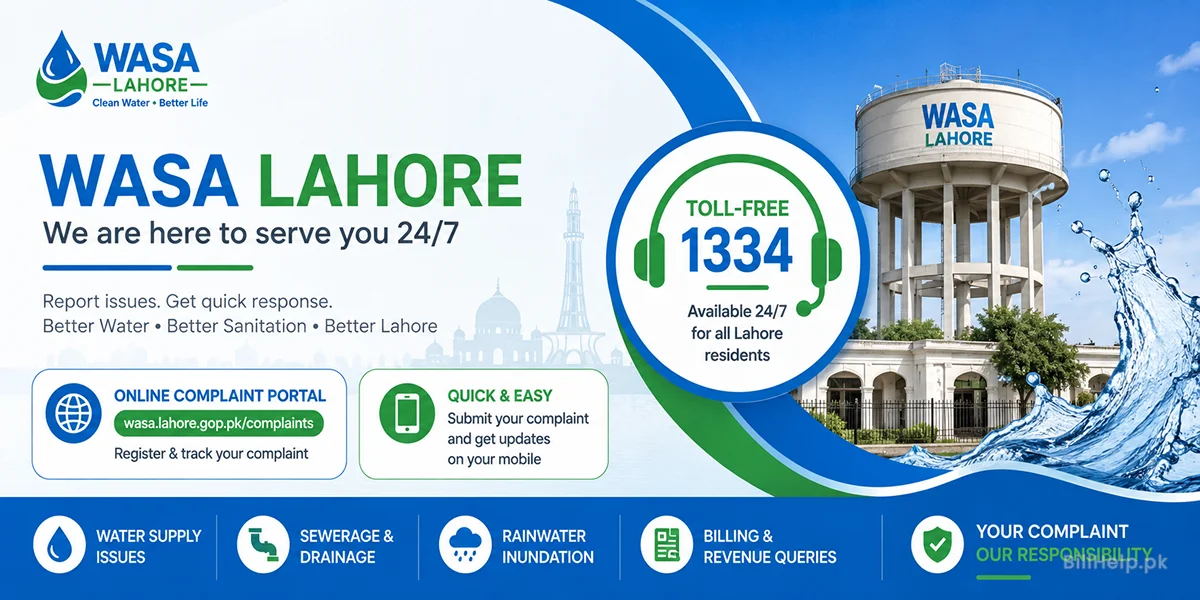
- WASA Complaint Helpline: 1334 (Toll-Free)
- Complaint Monitoring Cell: (042) 99332100 - 01
- Head Office Phone: (042) 99268439
- Official Website:wasa.punjab.gov.pk
WASA Sub-Divisional Offices
You may also visit your nearest WASA Lahore sub-office in your city. Main towns include: