Need to check your PTCL bill online? You can view your current bill in a few simple steps. This guide explains what information you need, which service option to choose, and how to solve common bill inquiry problems. It covers PTCL landline, broadband, internet, VFone, EVO, CharJi and setup charges.
Bill checker already available
Use the bill checking interface on this page to start your PTCL bill inquiry. The content below helps you enter the correct details and understand the bill result. Never share your password, card PIN or one-time password while checking a bill.
Quick guide
What is a PTCL bill online check?
A PTCL bill online check lets you view billing information without waiting for a paper bill. People also search for this service as PTCL online bill, PTCL bill inquiry, PTCL web bill, PTCL consumer bill or “know your bill.” These terms usually mean the same basic task. You enter the required connection details and open the latest billing record.
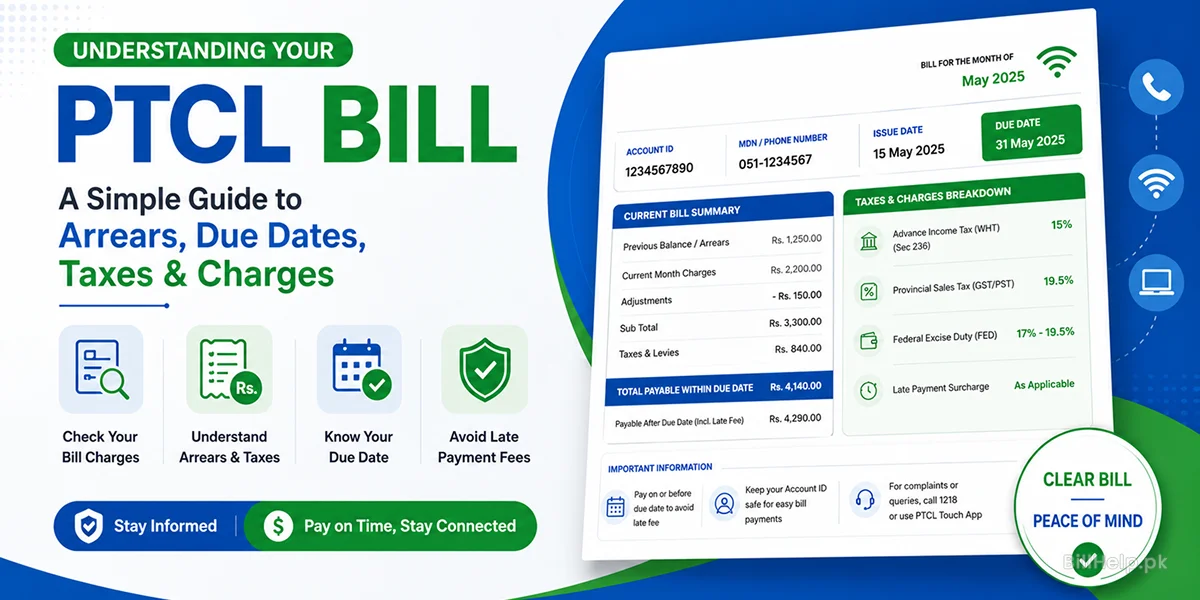
Your PTCL current bill may show the billing month, account or service details, payable amount, due date, previous balance and other charges. The exact information can differ by service. A landline and broadband connection may use telephone details. A wireless service may use an MDN. New setup charges may use a payment reference number.
Online access is useful when a printed bill is late, lost, or damaged. It also helps when you are away from home. You can check the amount before making a payment. You can also confirm that the bill belongs to the correct connection before you pay it.
What details do you need?
PTCL offers several services. The required bill inquiry detail is not the same for every service. Choose the correct category before entering a number. The following table gives a simple overview.
| PTCL service | Common detail needed | Where to find it |
|---|---|---|
| Landline or VFone postpaid | Area code and telephone number, based on the selected inquiry option | Old bill, connection record or registered phone details |
| Broadband or internet linked with landline | Usually the linked telephone or account information | Previous PTCL bill or customer record |
| CharJi, EVO or supported wireless service | MDN | Device record, package details, old bill or registered connection information |
| Telephone and internet setup charges | Payment reference number | Setup letter or the SMS sent during the connection process |
Do not guess the number. One wrong digit can show an error or no bill. Check the area code, telephone number, MDN or payment reference before submitting the inquiry.
How to check PTCL bill online
The bill checking form is already available on this page. Follow these steps to get the correct result.
Select your PTCL service
Choose landline, broadband, VFone, EVO, CharJi or the option that matches your connection. Do not select a wireless service for a normal landline bill.
Provide required billing information
Enter the telephone number, area code, MDN, account detail or payment reference as prompted by the checker. Remove spaces if the field does not allow spaces
Check the number
Now read every number again. Many failed searches happen because of a missing area code, an extra zero or a mixed-up number.
Open the bill result
Submit the inquiry. Wait for the current bill information to load. Avoid pressing the button many times while the request is processing.
Check the bill
Verify the connection number, month of billing, amount to be paid and due date. Make sure it's your bill before you go to any payment service.
Other ways to view your PTCL bill
The web bill checker is often the fastest option. PTCL customers may also use official self-service channels. Availability and menu labels can change, so always use a trusted PTCL channel.
The official inquiry page separates service types. It supports landline and VFone postpaid inquiries, CharJi and EVO categories and payment references for setup charges.
The app can help linked customers view billing details. PTCL guidance also describes bill inquiry, payment and D-Bill access through the app.
PTCL lists a WhatsApp self-service option that includes “Know your bill” and duplicate bill features. Use only the official number shown on PTCL’s website.
How to understand the bill result
After you view the PTCL bill, do not look only at the final amount. Check the main fields carefully. This can help you notice an old balance or a charge that needs attention.
Billing month
This tells you which monthly billing period the record belongs to. Make sure you are viewing the current bill and not an older saved copy.
Amount payable
This is the total amount shown for payment. It may include current charges, taxes, adjustments or an earlier unpaid balance.
Due date
This is the payment deadline printed on the bill. Pay before the displayed date when possible.
Previous balance
An earlier unpaid amount may appear with the new charges. Review your payment record if you think the old balance was already cleared.
PTCL bill check in Lahore, Karachi and other cities
Users often search for PTCL bill Lahore, PTCL bill Karachi, PTCL bill Islamabad, PTCL bill Gujranwala, PTCL bill Quetta and similar city terms. You normally do not need a separate bill website for each city. The same PTCL bill inquiry process is used across Pakistan.
For a landline bill, the city can still matter because the area code is part of the telephone details. Select or enter the correct area code. Then add the landline number in the format requested by the checker. A wrong area code can stop the PTCL bill search from finding the correct record.
Common PTCL bill inquiry problems
Web safety tips for checking PTCL bill
- Ensure the page address is a trusted website before entering connection details.
- Do not share a banking password, card PIN or OTP to view a bill.
- Avoid checking bills on public computers when possible.
- Log out of any customer account after using a shared device.
- Keep payment receipts until the account shows the payment correctly.
- Do not trust messages that demand urgent payment through a personal account.
Current bill, duplicate bill and old bill: what is the difference?
| Bill type | Meaning | Best use |
|---|---|---|
| Current bill | The latest available monthly billing record for the connection. | Checking the new amount and due date. |
| Duplicate bill | A copy of a bill when the printed copy is lost or damaged. | Downloading, saving or printing a replacement copy. |
| Old bill | A bill from an earlier month or billing period. | Record keeping, comparison or payment research. |
This page focuses on the PTCL current bill check. Use a dedicated duplicate bill or bill history guide when you need a printable copy or a previous month.
Check your PTCL current bill
Keep your correct telephone number, area code, MDN or payment reference ready. Use the bill checking interface to view the latest available result. Review the connection details, billing month, total amount and due date before making a payment.
Go to PTCL Bill Checker