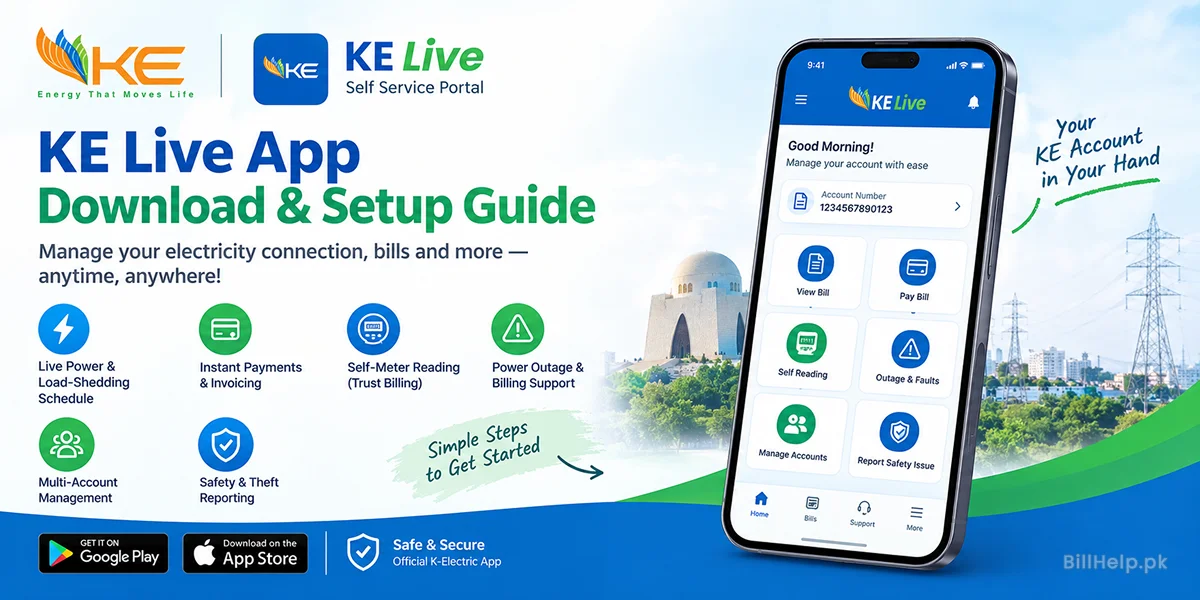
This complete guide will give you all the information on how to set up the app on an Android or iOS device.
KE Live App – Main Features
KE Live app is a digital self-service portal for residential, commercial and industrial consumers across Karachi and adjacent network areas. Here are the important features that you can avail inside the app:
Live Power & Load-Shedding Schedule
See live feeder status, planned maintenance outages and track load shedding times for specific areas.
Instant Payments & Invoicing
Duplicate Electricity Bills View, Download or Print Get Past Payment History Make Instant Payments Online using Debit / Credit Cards.
Self-Meter Reading ("Trust Billing")
Send photos of your meter through the app each month to ensure your bill is accurate and not estimated units.
Power Outage & Billing
Disputes File complaints about power outages, low voltage, neutral faults or billing discrepancies and follow service dispatch crew in real time.
Multi-Account Management Link and manage
Multiple 13 digit KE account numbers under one login profile.
Safety & Theft Reporting
Report illegal hook connections (kunda) or broken wires, transformer hazards, or street light problems anonymously.
KE Live Download & Install (Android, iOS & APK)
Get the official app and enjoy data encryption and protection from fake software clones.
Installing on Android via Google Play Store
- Open the Google Play Store application on your Android mobile device.
- Look up KE Live (provided by K-Electric) on your mobile.
- Click on Install to let it download.
- Open the app and give the necessary permissions to access the camera (self reading) and location services.
Installing on iPhone / iOS
- Access App Store on your iPhone/iPad.
- Search for KE Live.
- Tap Get and authenticate using Face ID / Touch ID / Apple ID.
- Open the app upon installation completion.
Safe APK Download Guidelines
If downloading the KE Live APK file directly for devices without Google Play services:
- Always install the APK file from K-Electric’s official website (ke.com.pk) or any trusted app store/repository.
- To prevent infection of malware or credential theft, never download hacked APK files from blogs.
- In case of manual installation, activate “Unknown Sources” from Security Setting in Android.
Account Registration and Login Steps by Step
To create a new account, you will need the standard consumer verification credentials.
- Launch App: Open KE Live and tap Sign Up on the main screen.
- Input Details: Enter First Name, Last Name, CNIC Number, Email Address and active Mobile Number.
- Password Creation: Choose an alphanumeric password of minimum 8 characters ( letters and numbers ) .
- OTP Verification: OTP verification: Type in the 6 digit One Time Password (OTP) that is sent to your registered mobile phone number through SMS (valid for 15 minutes).
- Account Linking: Login to your account and proceed to Manage Accounts and then select Add Account and type in the 13 digits KE Account Number displayed at the top right corner of your electricity bill.
Self-Meter Reading Submission (“Trust Billing”)
To avoid billing errors or estimated readings when access restrictions are in place, use the self-reading feature:
- On the home screen, tap Self Reading during your assigned reading window.
- For single-phase connections (up to 4 kW load), capture 1 clear photo of the meter display and type the kWh digits manually.
- For three-phase connections (5 kW and above), capture 2 photos (Peak and Off-Peak readings).
- Submit confirm. Automated screeners check for image clarity, match of meter number and unit entries before bill approval.
Common KE Live App Issues and How to Solve Them
OTP Not Received
In the event that you do not receive the code through SMS in 60 seconds, click on "Resend OTP." It is essential that your mobile phone works properly without having any restrictions on the function of the code for SMS.
Password Error in Sign Up
The password must contain a minimum of 8 alphabets and numbers.
App Crashes/Loading Issues Solution You can clear the cache memory of the app from your phone (Settings -> Applications -> KE Live -> Storage -> Clear Cache).
Account Already Linked Error
Contact K-Electric support via WhatsApp (0348-0000118) or email (customer.care@ke.com.pk). If you have an old mobile number linked to your account.