K-Electric Bill Payment Online (Credit Card, Banking Apps & Wallets)
Learn how to pay your electricity bill quickly from home. Skip the line: Credit and debit cards, mobile banking apps and digital wallets.
What You Need Before Paying Your Bill Online
Before you begin the payment process, please have the following items available:
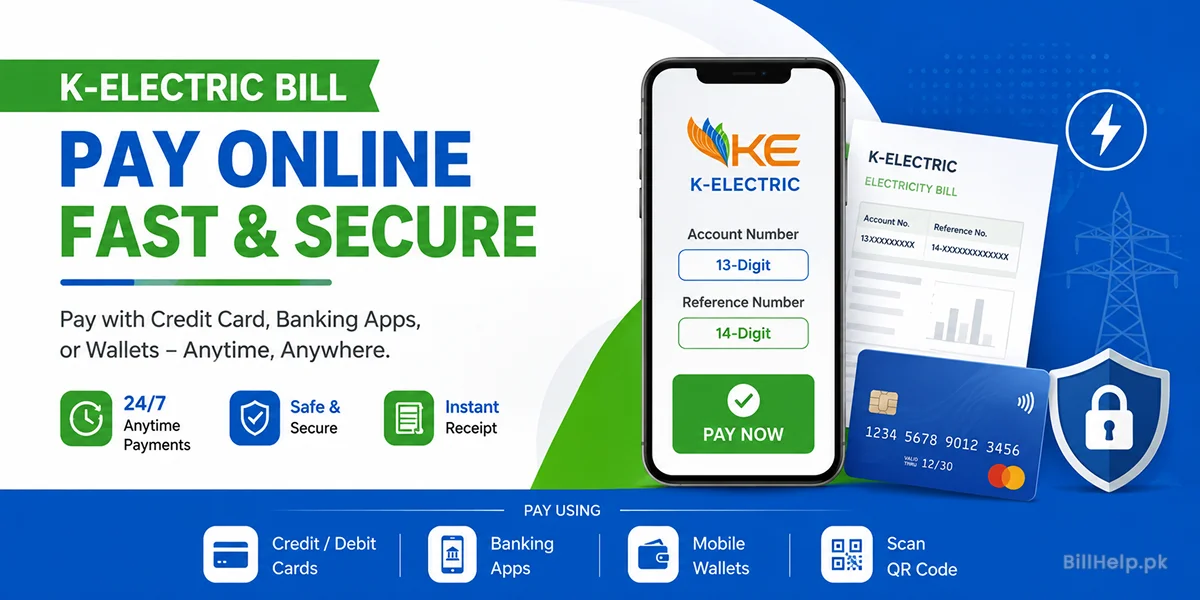
- Your 13-Digit Account Number: Top right hand corner of your K-Electric physical or digital bill.
- Your 14-Digit Reference Number: Also printed near the account number on your monthly bill statement.
- Active Payment Method: Credit card, debit card, registered mobile wallet, or internet banking account.
- Active Mobile Phone: Needed to receive One-Time Password (OTP) verification codes from your bank.
1. What is K-Electric Digital Bill Payment?
K-Electric is Karachi and surrounding areas’ power supply company. K-Electric provides electricity to millions of homes, businesses and factories in Karachi, Dhabeji, Gharo and Hub in Balochistan.
People went to banks. Post offices to pay power bills. Those trips resulted in wasted time and waiting. I know how frustrating it is to wait in line for hours.. Digital payments options now available from K-Electric.
K-electric online payment, fast and safe. K-Electric lets you pay anytime 24 hours a day 7 days a week. Digital payments give you receipts, help you avoid late fees, and make it easy to see your monthly statements.
2. Pay through K-Electric Web Portal & KE Live App (Credit or Debit Card)
Directly pay your electricity bill with your Visa or Mastercard credit and debit cards through the portal or app. This service uses gateways such as PayFast.
Option A: Pay using K-Electric Web Portal
- Open your web browser and visit the K-Electric Digital Bills and Payments Portal .
- Here you type in your 13 digit KE Account Number.
- Click the Submit button to load your bill details.
- Review your due amount and payment due date.
- Select Credit or Debit Card or PayFast Gateway, as your payment method.
- Type your 16-digit card number, card expiration date and 3-digit CVV code.
- Enter the OTP that your bank sent to your phone.
- Click on Confirm Payment button. Download. Payment slip.
Option B: Use Official KE Live App to Pay
- The KE Live app is available for download on Google Play Store for Android devices and Apple App Store for iPhones. Open the KE Live app
- Open the KE Live app. Sign in or create a new account using your mobile number.
- Please add your KE Account Number to connect your electricity.
- Tap on Bill Payment tab from the home screen.
- Choose your saved credit or debit card or linked account.
- Confirming transaction. Open the digital receipt in the KE Live App.
3. Pay via Mobile Wallets (EasyPaisa, JazzCash, NayaPay, SadaPay)
I find that mobile wallets are the method to pay utility bills in Pakistan. You only need a smartphone, your account number and enough balance, in your wallet account.
EasyPaisa Payment Steps
- Open the EasyPaisa app on your phone.
- Tap on Bill Payment on the dashboard.
- Select Electricity, from the bill category list.
- Choose K-Electric (KE) as your company provider.
- Type your 13-digit Consumer / Account Number.
- Verify the consumer name and due bill amount.
- EasyPaisa tap Pay Now and enter your 5-digit PIN.
JazzCash Payment Process
By Mobile App:
- Open JazzCash app and select Utility Bills.
- Tap. Pick K-Electric.
- Enter your 13-digit Consumer Number.
- Confirm details. Enter your 4-digit MPIN.
Dial *786# on your phone. Then select Pay Bills. Next choose Electricity.
NayaPay Payment Steps
- First open the NayaPay app and head to the Pay tab.
- Next tap on Utility Bills. Select K-Electric.
- Then enter your 13-digit Account Number. Before you pay review the bill amount.
- Finally authorize the payment using your MPIN or fingerprint.
SadaPay and UPaisa Payment Steps
- Open your SadaPay or UPaisa application.
- Then go to Payments or Bill Payments.
- From the utility list select K-Electric.
- Enter your 13-digit Account Number. Confirm the transaction.
4. Pay via Internet Banking & Bank Mobile Apps (1Bill System)
Most big banks, in Pakistan let you pay your K-Electric bill through their internet banking sites and mobile apps. They connect to the 1Link / 1Bill payment network.
| Bank Name | Supported Channel | Name Bill Payment Option |
|---|---|---|
| Habib Bank Limited (HBL) | HBL Mobile App / Internet Banking | Bill Payments > Utility > K-Electric |
| United Bank Limited (UBL) | UBL Digital App | Bill payment > K-Electric |
| Meezan Bank | Meezan Mobile App | Utility Bills > Electricity > K-Electric |
| Bank Alfalah | Alfa Mobile App | Bill Payments > Electricity |
| Allied Bank Limited (ABL) | myABL Mobile App | Payments > Utility Bill Payment |
| MCB Bank / Standard Chartered | Mobile App / Web Portal | 1Bill / Utility Payments |
Banking Apps – General Steps:
- Log into your bank’s official mobile app with your username and password or by using biometric authentication.
- Click Bill Payments or 1Bill / Payees.
- Select Utility Bills and choose K-Electric (KE).
- Enter your 13 digit Account Number or 14 digit Reference Number.
- The app automatically pulls consumer details, billing month and due amount.
- Confirm payment with your Transaction PIN or SMS OTP.
5. Pay by Scanning the Bill QR Code
K‑Electric puts a QR code on every modern paper bill and duplicate bill. You can use a supported banking or wallet app to scan that QR code.
How QR Code Bill Payment Works:
Open the mobile banking app or the mobile wallet app that you use.
- On the app’s screen tap the option that says Scan QR.
- Point your phone camera at the QR code that is printed on your K‑Electric bill.
- The app will automatically read the bill details the account number and the amount that is shown.
- Check the details that appear and then tap Pay to finish the transaction in an instant.
6. How to Check Your K-Electric Account & Reference Number [Full Guide]
The Reference Number is often confused with the Account Number. Knowing the difference will be helpful as you make payments and avoid errors.
You can learn more about reading your bill statement on the official K-Electric Know Your Bill Page .
7. Detailed Guide: How to Check & Download Duplicate KE Bills Online
If you lose your paper bill or do not receive it on time you can easily download a duplicate copy online. You do not need to visit a customer care center.
Method 1: Official KE Portal
Visit the K-Electric Official Website . Enter your 13-digit Account Number view or download a printable PDF copy of your current bill.
Method 2: BillHelp Utility Search
You can also quickly check your bill details with BillHelp K-Electric Duplicate Bill Tool . Enter your 13 digit account number to view charges and due dates without charge.
8. Enrolling in Paperless E-Billing Service
K-Electric offers its customers the facility to receive their digital bills in their email inbox every month. It’s good for the planet, and it’s free.
Advantages of K-Electric E-Billing:
- Get monthly bills 3 days earlier than paper bill delivery.
- Access your bill copy anytime from your email archive.
- Avoid lost or misplaced paper bills.
- Help reduce paper waste and protect our environment.
Log on to the official https://ke.com.pk/ to subscribe and enter your account details, email address and mobile number to register for paperless billing.
9. Peak Hours & Energy Saving Tips – The Understanding In Practice
K-Electric charges high rates per unit of electricity in Peak Hours. During these hours, electricity demand in Karachi is at its peak.
| Season / Months | Peak Hours Window | Off-Peak Hours |
|---|---|---|
| April - September (Summer) | 6:30 PM - 10:30 PM | Remaining 20 Hours |
| October - March (Winter) | 6:00 PM - 10:00 PM | Remaining 20 Hours |
How to cut your monthly K-Electric bill:
- Peak Hours: Do not use heavy electrical appliances such as air conditioners, water pumps, washing machines and electric irons during Peak Hours.
- Inverter air conditioners consume less energy at 26°C.
- Replace the traditional incandescent bulbs with energy saving LEDs.
- Unplug chargers and appliances when not in use (to remove standby power usage).
10. Frequently Asked Questions (FAQs)
How soon does the online bill payment get reflected in KE records?
K-Electric’s main system updates online payments within 24 to 48 working hours. But your digital banking or wallet app gives you an instant digital receipt with a transaction ID to prove you’ve paid.
Can I pay my K-Electric bill after the due date online?
What should I do if money is deducted but my bill shows unpaid?
Are there extra service charges for paying KE bills online?
Need Further Assistance?
Visit the official K-Electric Website or call the KE Helpline at 118 / 021-99000. You can also look up duplicate bills online using the BillHelp K-Electric Tool .