1. What is the Suthra Punjab Initiative?
Suthra Punjab Sanitation Program is a landmark administrative transformation launched by the Chief Minister of Punjab for creation of clean, hygienic and eco-friendly environment in all rural and urban settlements of the province.
In the past, local union councils, municipal committees and waste management companies collected municipal waste, cleaned drains and ensured general sanitation of localities on an ad-hoc basis. All 36 districts of Punjab have been brought under a uniform solid waste management system including street sweeping and door to door collection of garbage under the integrated Suthra Punjab Program.
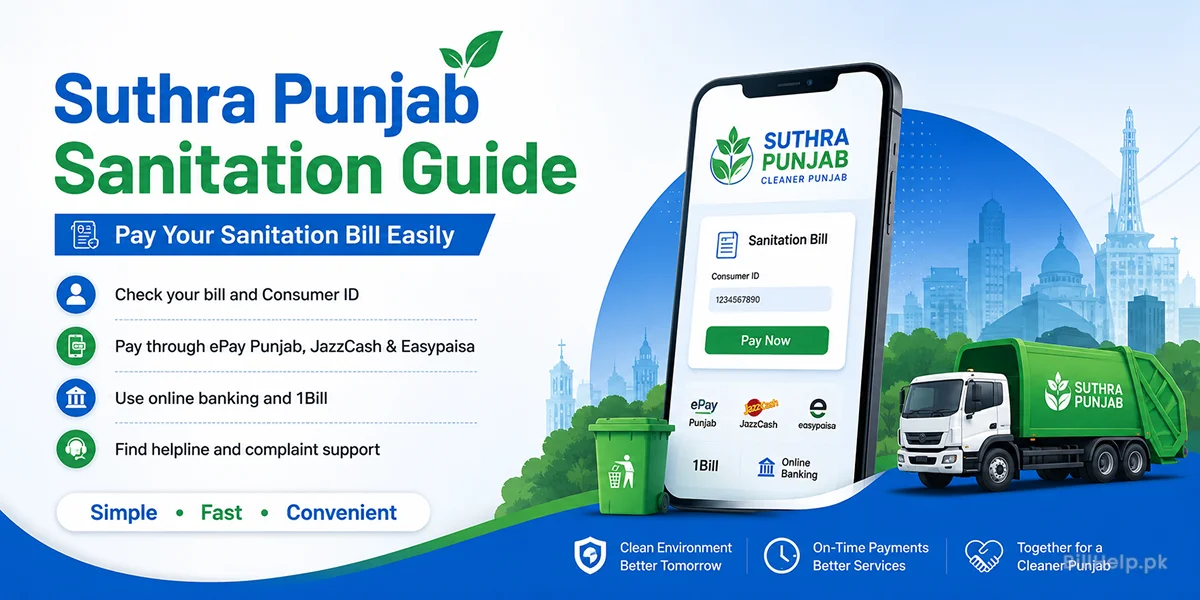
To support this massive infrastructure, the Punjab Local Government and Community Development (LG&CD) Department introduced a nominal sanitation tariff. To make paying this fee effortless for citizens, the government integrated Suthra Punjab billing directly into the central state digital clearinghouse—the ePay Punjab Gateway—allowing seamless integration with every major commercial bank, digital wallet, and financial technology provider in Pakistan.
Key Components of Your Suthra Punjab Bill
Every Suthra Punjab billing notice contains a unique PSID (Payment Software Identification) Number or a Consumer Reference ID. This 10 to 18 digit numeric code establishes a direct link between your particular property record and the Punjab Treasury department and allows instant ledger reconciliation on digital payment.
2. Pay via ePay Punjab Mobile Application (Official Way)
The ePay Punjab App is the Punjab Information Technology Board (PITB)’s official public service payment application. It is the main entry point for clear, direct, zero-fee utility and civic payments.
Complete Step-by-Step Instructions:
- Download and Install: Search “ePay Punjab” on Google Play Store or Apple App Store. Publisher should be Punjab Information Technology Board.
- User Registration: Open the app and choose “Register.” Please enter your full legal name, a valid CNIC number, an active mobile number and create a secure password. Validate your account with the One-Time Password (OTP) we sent to your mobile.
- Select Department: From the home dashboard tap on Local Government (LG&CD) tab or search directly for Suthra PunjabSanitation Fee.
- Enter Consumer ID/Reference: Enter the Consumer Reference Code printed in bold print at the top right corner of your paper bill.
- Fetch Details: Retrieve Tap Search . The app will get live data from the municipal server and show the name of the property owner, billing period, due date and exact amount payable.
- Generate PSID and Select Payment Option: If you want to pay using ePay choose your linked bank or card or pick "1Bill/ATM" to create a universal PSID code for paying using other financial tools.
- Payment Verification: Go through the process and receive the receipt in PDF format from ePay Punjab.
3. Payment via JazzCash Mobile Wallet
JazzCash is one of the popular microfinance and mobile money services in Pakistan. Paying your Suthra Punjab bill using JazzCash can be done through the smartphone app. Using the USSD code menu for people, with feature phones.
Option A: Using JazzCash
- 1. Login into JazzCash app by using either your 4 digit MPIN or biometric fingerprint..
- 2. From the dashboard of JazzCash App, scroll down and select Govt Payments under Utility and Government bills.
- 3. Select Punjab Government Payments. Search for Suthra Punjab / Local Govt directly.
- 4. Enter JazzCash users Consumer Reference ID or the 17/18-digit 1Bill PSID generated via ePay.
- 5. Review the bill summary (Ensure the name on screen matches the record on JazzCash users printed invoice).
- 6. Tap Confirm, enter JazzCash users 4-digit MPIN. Save the digitally stamped confirmation receipt.
Option B: Via USSD Code (*786# for Jazz Customers)
- Dial *786#, from a JazzSIM card that is registered with Jazz.
- Select option 2 (Pay Bills).
- Select Government Payments. Select Punjab Government Dues.
- Type your Consumer ID or PSID number.
- Look at the bill. Enter your MPIN to make the payment instantly.
4. Easypaisa Mobile Wallet Payment
Easypaisa offers a way to pay local municipal dues directly from your smartphone wallet – no paper needed.
Step-by-Step Procedure:
- Open the Easypaisa App. Log in to your account.
- On the Home screen tap the Bill Payment icon.
- Choose the Government Fees category.
- Choose region or province and choose Suthra Punjab Sanitation or ePay Punjab Services.
- Insert your Consumer Number or PSID. Tap Next.
- The app will show the status. Display the amount of the bill and the due date.
- Confirm the transaction by entering your transaction password or biometric authentication or OTP sent to you on phone/ email.
5. Payment using Internet Banking and Mobile Banking Apps (1Bill System)
If you would rather pay using accounts from banks (like HBL, Meezan Bank, UBL, Allied Bank, MCB, Bank Alfalah, Askari Bank or Standard Chartered) you can pay your Suthra Punjab bills using the 1Bill System that is connected.
Universal Bank App Procedure:
Step 1: Sign in to your banks Mobile Banking Application or Online Web Portal.
Step 2: Go to the Bill Payments or Pay Bills section. Choose Add New Bill or Payee.
Step 3: Pick 1Bill. Government Services, as the type of bill.
Step 4: Choose 1Bill Invoice / Top-Up.
Step 5:
Enter 1Bill identifier standard (usually 100057 for Punjab ePay services) followed by your bill’s PSID/Consumer ID or you can enter full 18 digit 1Bill Consumer Number as mentioned in your printed invoice.
Step 6: Select Verify/Fetch Bill Details to verify the owner name and outstanding balance.
Step 7: Authorize the payment using your Transaction Password, Biometric verification or One-Time Password (OTP) sent to your mobile or email.
6. Offline Over-the-Counter Payment Options
For citizens who prefer physical receipts or do not have access to digital smartphone wallets, the Government of Punjab has authorized several physical payment counters across all municipal boundaries.
Commercial Bank Branches
You can visit designated branches of commercial banks including The Bank of Punjab (BOP), National Bank of Pakistan (NBP), and Habib Bank Limited (HBL).
- Bring your printed Suthra Punjab bill notice.
- Hand the bill along with cash to the teller counter.
- You will get a stamped physical counterfoil with the bank’s transaction reference ID.
JazzCash & Easypaisa Agent Shops
Local retail shops, mom-and-pop stores, and authorized agent kiosks equipped with payment terminals can process your payment.
- Provide your 10 to 14 digit Consumer Reference ID to the retail agent.
- Pay the bill amount in cash to the agent.
- Please make sure you receive an automated SMS confirmation on your mobile phone before leaving the counter.
7. Suthra Punjab Tariff & Fees Structure Breakdown
Billing Rates for Suthra Punjab Sanitation and Solid Waste Management Services The property size, location tier (Urban vs. Rural) and property category (Residential, Commercial or Industrial) of the services of Suthra Punjab sanitation and solid waste management services are used to determine the rates of billing.
| Property Category | Plot / Unit Size | Location Classification | Estimated Monthly Tariff (PKR) |
|---|---|---|---|
| Residential | Up to 5 Marla | Urban / Rural Standard | Rs. 100 - Rs. 300 |
| Residential | 5 Marla to 10 Marla | Urban Municipal Boundaries | Rs. 300 - Rs. 500 |
| Residential | 10 Marla to 1 Kanal+ | Prime Urban / City Limits | Rs. 500 - Rs. 1,000 |
| Small Commercial | Shops, Kiosks & Small Offices | Commercial Zones / Bazaars | Rs. 500 - Rs. 1,500 |
| Large Commercial / Industrial | Plazas, Factories, Marriage Halls | Industrial Estates & Main Corridors | Assessed based on waste volume |
* Note: Tariff rates are subject to updates by the Punjab Local Government & Community Development Department. Always refer to your printed or digital billing statement for exact assessments.
8. Guide to Payment Verification & Troubleshooting
In more than 99% of cases digital payment transactions go through smoothly, but sometimes people get confused by latency in the financial gateway or network delays. For the most common cases follow these solutions:
100057 prefix before entering the Consumer ID. Alternatively, launch the ePay Punjab App, search your bill there, and generate a fresh 1Bill PSID.
9. Helpline and Customer Complaint Redressal
If you find billing discrepancies, incorrect property categorization or uncollected municipal waste, in your area the Government of Punjab provides dedicated helpline channels to resolve the issues quickly.
CM Support
1190 / 0800-02345
Toll-Free Complaint LineSuthra Punjab Mobile App
Download on Play Store
Direct Photo Complaints of WasteOfficial Web Portal
epay.punjab.gov.pk
Online Support & Ticket Generation10. Frequently Asked Questions (FAQs)
Keep Punjab Clean & Green
Your timely payment of municipal sanitation bill enables the waste management authorities to keep the streets clean, dispose of waste in a timely manner and is a step toward healthier surroundings for all.
Official sources to check:Suthra Punjab official website